1.png_master
附件只有一张 png,先拖进winhex看看,发现文件尾有明显base64特征字符,解码得到:
Congratulations on finding the first paragraph of flag, but the understanding of png is just beginning.
flag1:DASCTF{2fd9e9ff-e27
看看图片属性,发现位深32,判断图片为RGBA模式,先用zsteg试了下没出东西,再仔细观察图片,发现图片上端有明显的灰色区域,判断应该是Alpha通道存在隐写:
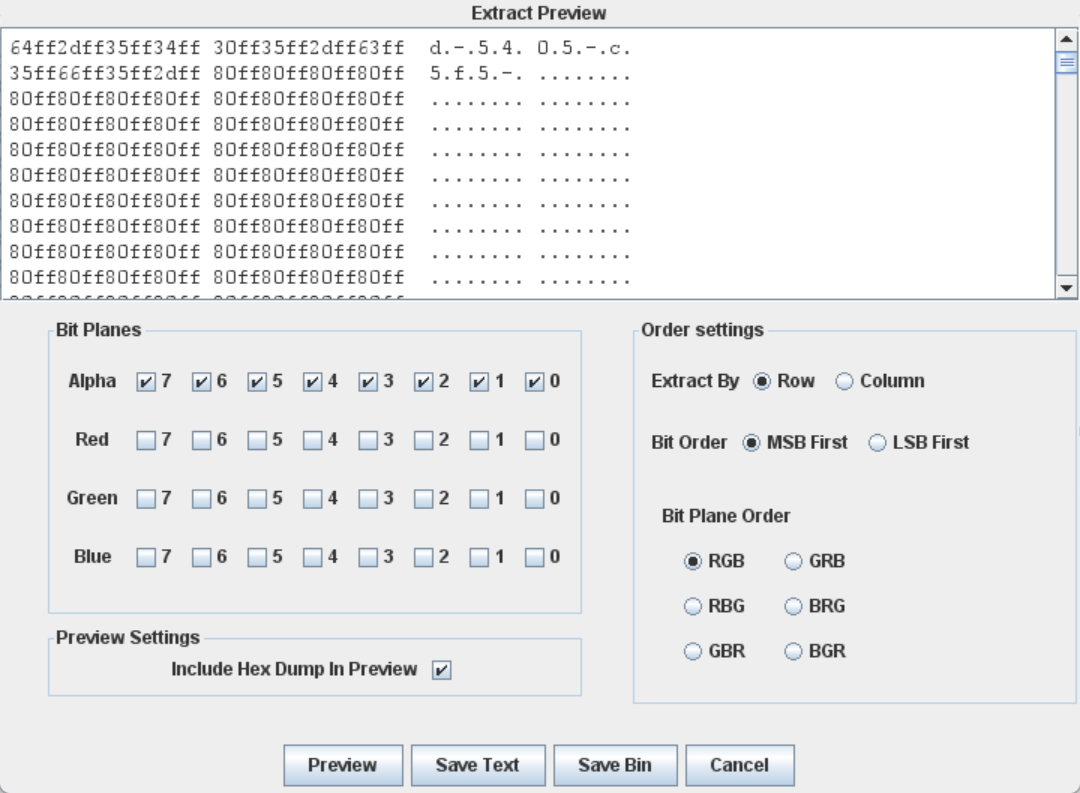
得到flag2:
d-5405-c5f5
将flag.png拖到010Editor里面可以看到输出中直接Error了,观察到在chunk[4] IDAT数据块未满的情况下还有chunk[5] IDAT数据块,显然这一块是多出来的部分:
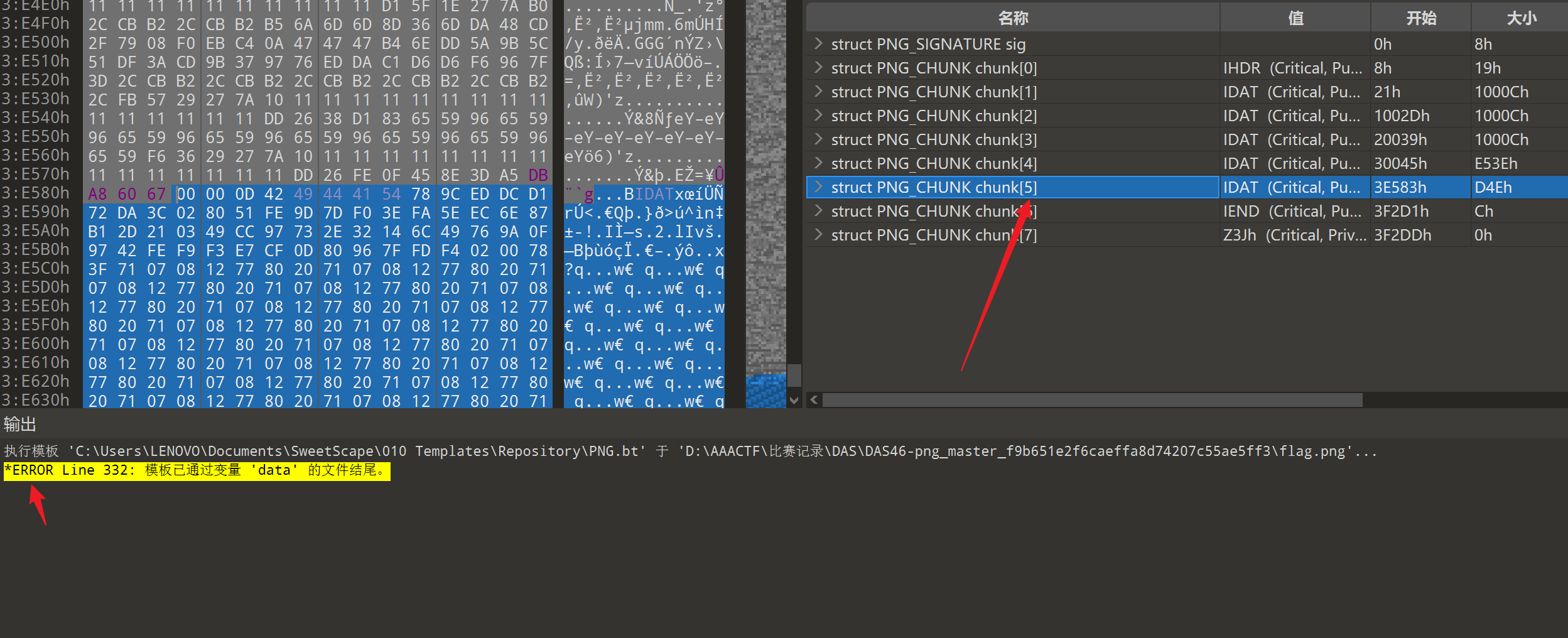
同时注意到有zlib文件头 78 9C ,而每个 PNG 图片都包含 zlib 压缩过的图像数据,这块应该是另外一张png的数据部分,头尾照搬原png,然后爆破宽高,可以拿到隐藏的图片:
import zlib
import struct
import argparse
import itertools
from PIL import Image
import os
#关于PNG格式可以自行上网查阅资料,资料还是挺丰富的,完全足够了解PNG文件格式

index = 0
filename = 'flag.png'
with open(filename, 'rb+') as file:
    bin_data = file.read()
    for width, height in itertools.product(range(498,510), range(498,510)):
        file.seek(0x12)
        file.write(struct.pack('!H', width))
        file.flush()
        file.seek(0x16)
        file.write(struct.pack('!H', height))
        file.flush()
        for colortype in [2,6]: ## 颜色类型:2:真彩色图像; 6:带α通道数据的真彩色图像
            file.seek(0x19)
            file.write(chr(colortype).encode())
            file.flush()
            crc32_data = crc32_data = b"\x49\x48\x44\x52\x00\x00" + struct.pack('!H', width) + b"\x00\x00" + struct.pack('!H', height) + b"\x08" + chr(colortype).encode() + b"\x00\x00\x00"
            crc32 = zlib.crc32(crc32_data)
            file.seek(0x1D)
            file.write(crc32.to_bytes(4,'big'))
            file.flush()
            file.seek(0x00)
            try:
                index += 1
                f = open("./FINAL/hidden{}.png".format(index),"wb+")
                f.write(file.read())
                f.close()
                img = Image.open("./FINAL/hidden{}.png".format(index))
                img.show()
                img.close()
            except OSError:
                try:
                    os.remove("./FINAL/hidden{}.png".format(index))
                except PermissionError:
                    pass
在网上没找到爆破 未知crc且未知图片宽高 的png脚本,自己写了一个,但是有点问题,只能小范围爆破宽高,靠近正确宽高的时候会爆出很多图片,其实用起来也不方便,之后再看看有没有办法优化
下面是上述脚本运行后结果,这么点范围都有这么多图片,稍微大一点就更不用说了,还是挺麻烦的:
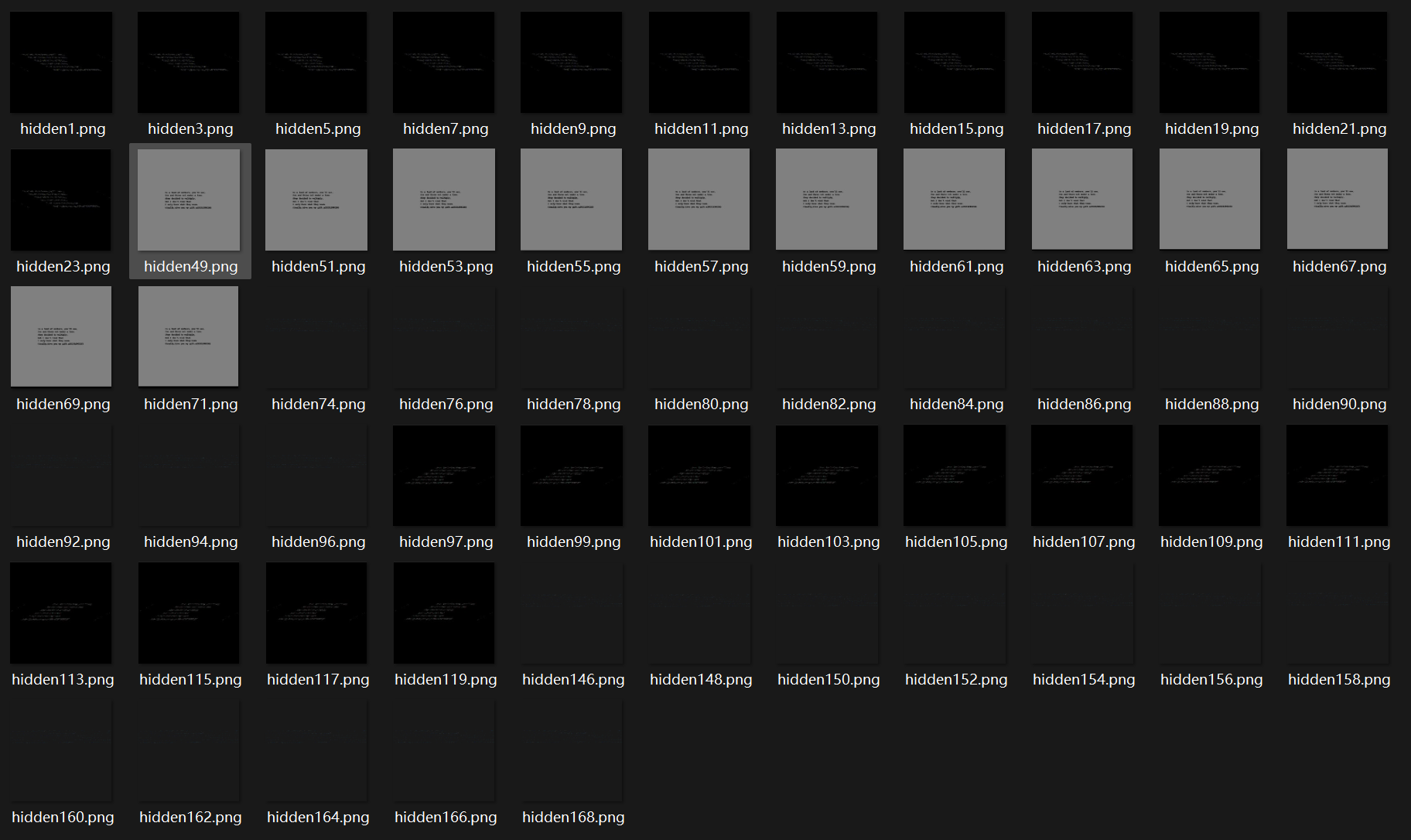
看图拿到flag3:
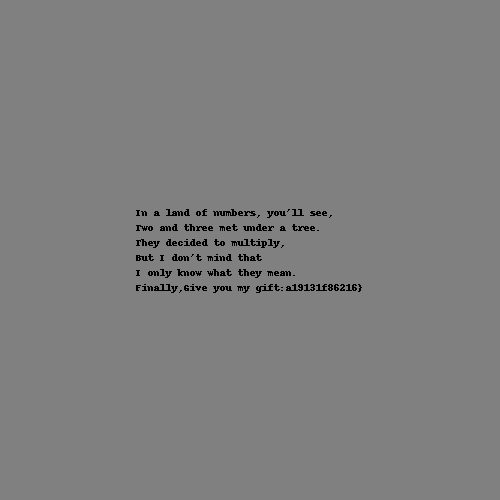
a19131f86216}
三段合成完整flag:
DASCTF{2fd9e9ff-e27d-5405-c5f5a19131f86216}
2.EZ_zip
附件只有一个zip文件,直接解压会报错,想到应该是zip文件格式出了问题
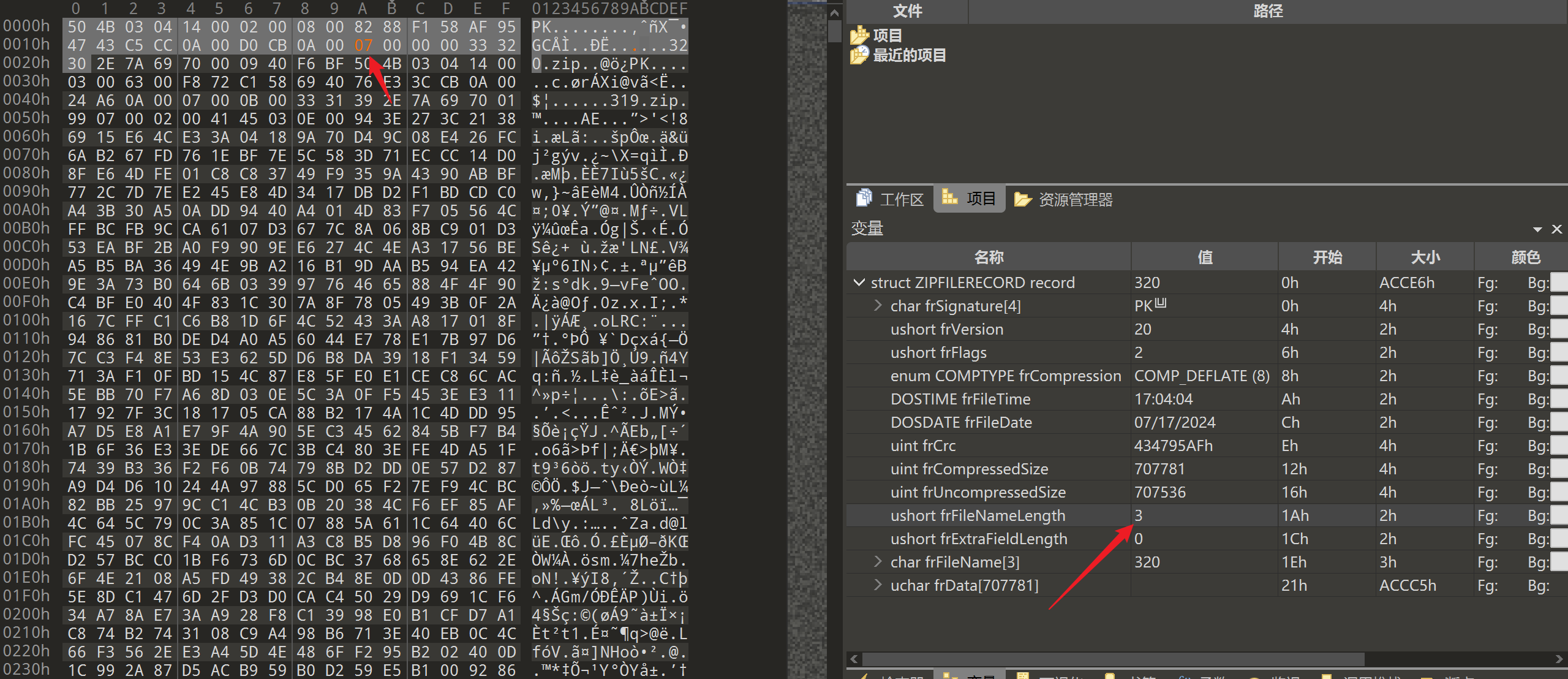
010Editor打开,先从文件头开始看,对着zip格式查查,或者拿个正常zip文件对比着看,发现在001Ah处的 FileNameLength 不对,应为7,不过这一处问题好像不影响解压(
中间数据看不出什么东西来,直接看文件尾
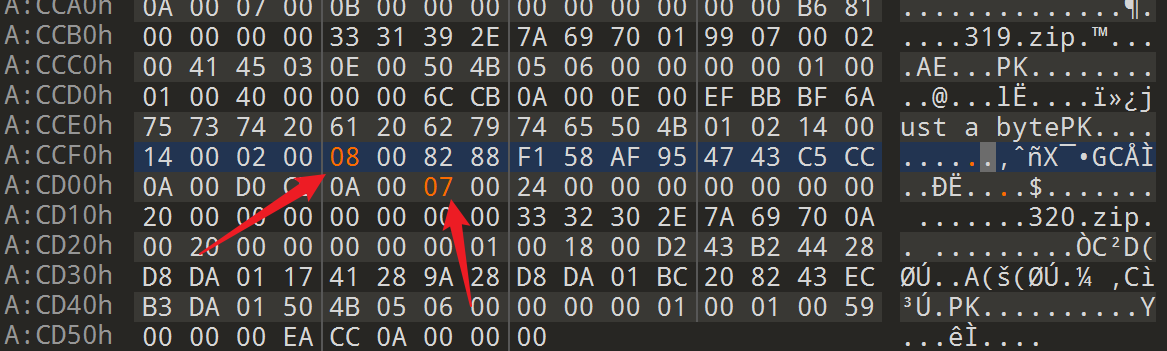
如果是正常的zip文件,尾部会有一块叫dirEntry的部分,显然这个文件没有,对比着正常文件看,发现有两处问题
首先 FileNameLength为7,其次是 COMPTYPE deCompression 的问题,关于这个数值为何是8,是因为文件头也有这部分内容:
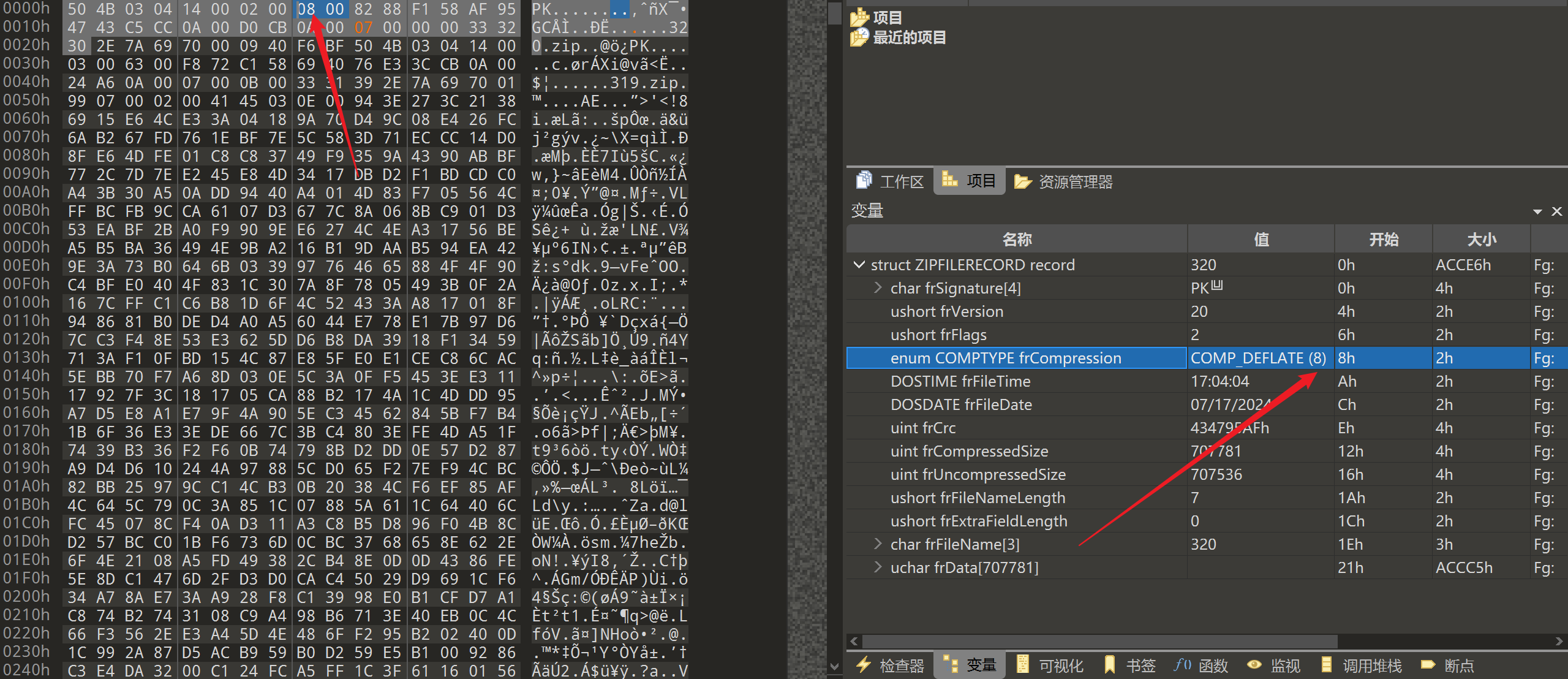
这部分内容是关于压缩方式的,将文件尾对应部分改为8即可:
接下来就可以正常解压得到320.zip,能看到其中有注释 just a byte,应该指密码为一字节
同时考虑到320.zip中有319.zip,应该总共是有320个压缩包,加上字节密码会有不可打印字符,无论如何都要用到脚本来批量解压缩:
import pyzipper
key1 = ""  #获取key是解压后的问题
for i in range(320,0,-1):
    zip_file_path = "待解压文件目录" + "\{}.zip".format(i)
    with pyzipper.AESZipFile(zip_file_path) as extracted_zip:
        for pwd in range(0x00,0x100):  #一字节密码ASCII值范围
            password = bytes([ord(chr(pwd))])  #转字节
            try:
                extracted_zip.extractall(path=r"解压得到文件的保存目录",pwd=password)
                key1 += hex(pwd).replace("0x","").rjust(2,"0")
                break
            except:
                pass

key2 = ""  #key逆置是因为按照正常解压顺序得到的key无法解AES
for i in range(len(key1)//2):
    key2 += key1[len(key1)-2*i-2:len(key1)-2*i]

with open("key.txt","w") as f:
    f.write(key2)
解压后能得到 320个zip文件 和 1个AES-ECB.txt,内容为:
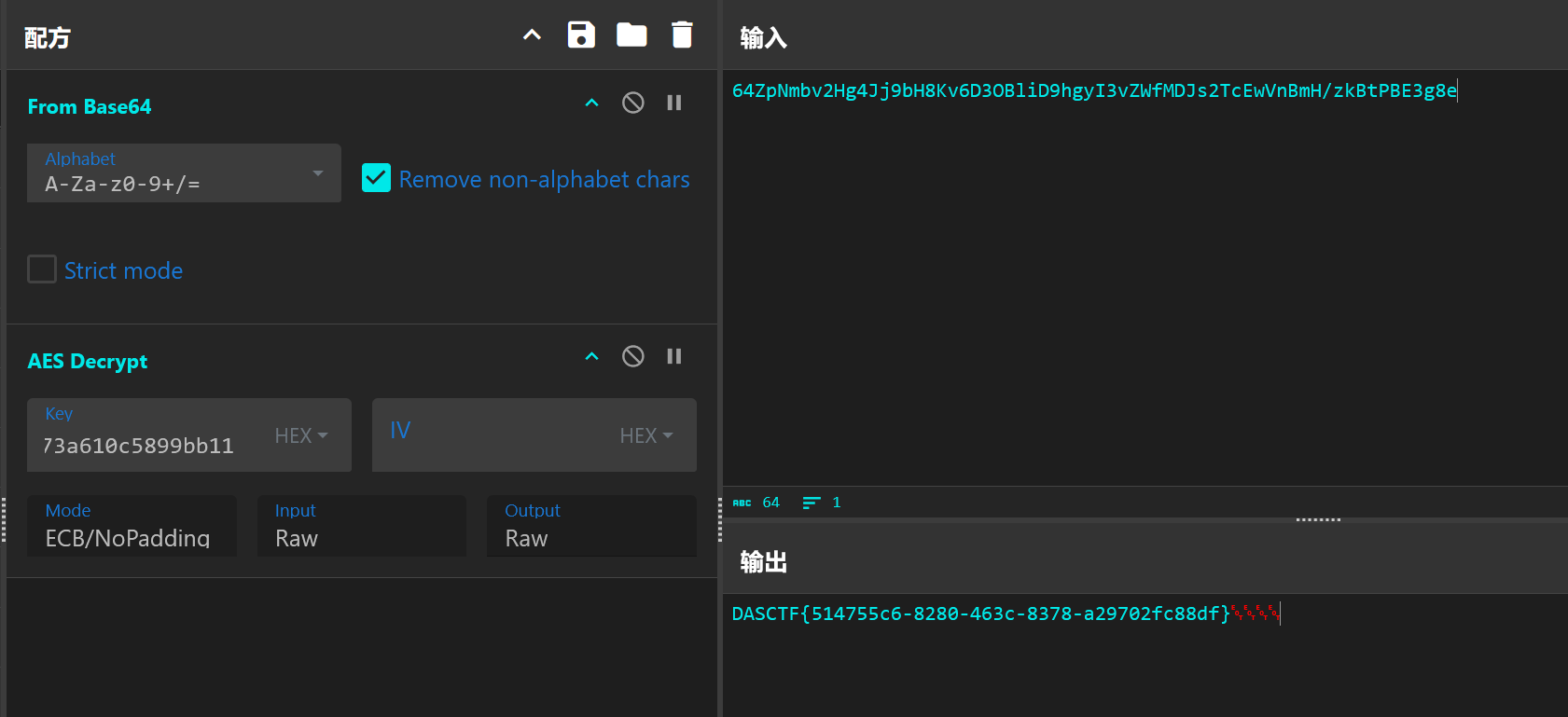
64ZpNmbv2Hg4Jj9bH8Kv6D3OBliD9hgyI3vZWfMDJs2TcEwVnBmH/zkBtPBE3g8e

the key may be on your journey?
根据提示回头找key,上述脚本中已获取,可以发现key.txt中有重复区段,整理后如下:
c64e5e2225444a9da66b0f28ad718f798cffa70a48124ec5873a610c5899bb11
c64e5e2225444a9da66b0f28ad718f798cffa70a48124ec5873a610c5899bb11
c64e5e2225444a9da66b0f28ad718f798cffa70a48124ec5873a610c5899bb11
c64e5e2225444a9da66b0f28ad718f798cffa70a48124ec5873a610c5899bb11
c64e5e2225444a9da66b0f28ad718f798cffa70a48124ec5873a610c5899bb11
c64e5e2225444a9da66b0f28ad718f798cffa70a48124ec5873a610c5899bb11
c64e5e2225444a9da66b0f28ad718f798cffa70a48124ec5873a610c5899bb11
c64e5e2225444a9da66b0f28ad718f798cffa70a48124ec5873a610c5899bb11
c64e5e2225444a9da66b0f28ad718f798cffa70a48124ec5873a610c5899bb11
c64e5e2225444a9da66b0f28ad718f798cffa70a48124ec5873a610c5899bb11
拿去解AES可以得到flag: